Most Shopify store owners see customer service as a cost centre — something to minimise and automate as much as possible. But the brands that build fanatical customer loyalty treat customer service as a growth channel. Every support interaction is an opportunity to create a brand advocate, save a sale, or gather product insights that improve your business.
What’s in This Article
The data supports this approach: 93% of customers are likely to make repeat purchases with companies that offer excellent customer service. Customers who have a positive service experience spend 140% more than those who do not. And a resolved complaint can actually make a customer more loyal than if they had never had a problem in the first place — a phenomenon psychologists call the “service recovery paradox.”
The challenge for Shopify store owners is delivering great service without drowning in tickets. The answer is not more staff — it is smarter systems. Here is how to build a customer service operation that delights customers and drives growth without consuming your entire week.
Setting Up a Helpdesk That Scales
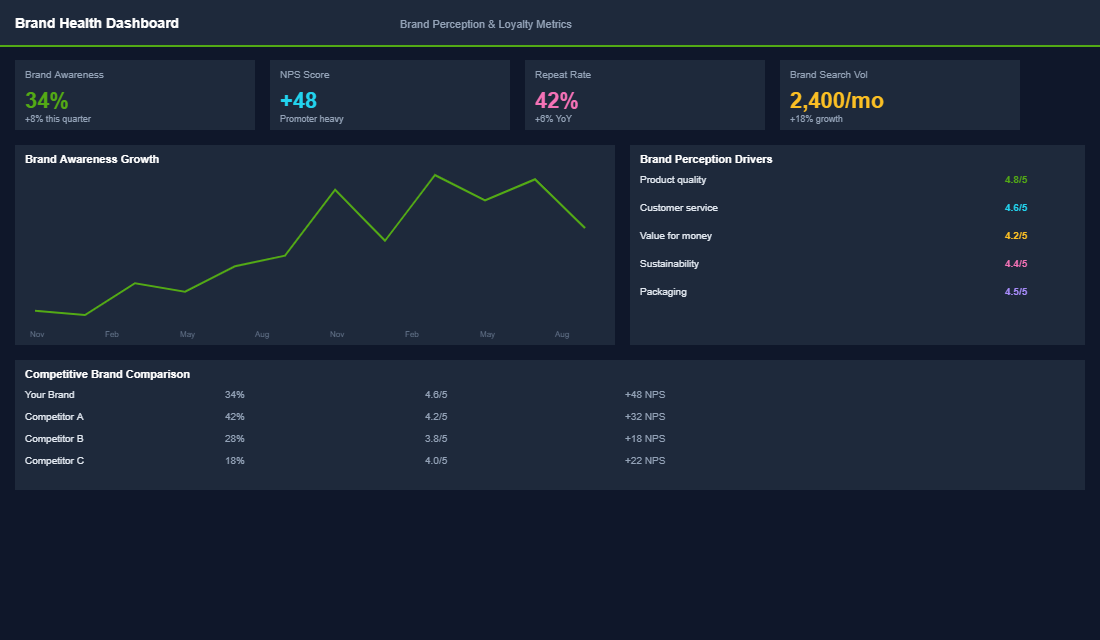
If you are still managing customer service through your personal email inbox, you are guaranteed to miss messages, lose context, and waste time switching between apps. A proper helpdesk centralises all customer communication and gives you the tools to respond faster and more consistently.
Gorgias is the gold standard for Shopify customer service. It integrates directly with Shopify, pulling in order data, customer history, and tracking information so you can see everything about a customer without leaving the ticket. It supports email, live chat, social media DMs, and phone — all in one dashboard. Pricing starts at $10 per month for up to 50 tickets. For most Shopify stores doing under $500K per year, Gorgias is the best option.
Zendesk and Freshdesk are alternatives if you need more advanced features or already use them for other businesses. They are more powerful but less tightly integrated with Shopify. For pure Shopify stores, Gorgias wins on ease of use and native data integration.
Key setup steps: Connect all your communication channels (email, Instagram DMs, Facebook Messenger, live chat). Set up auto-tagging rules that categorise tickets by type (order status, returns, product questions, complaints). Create macros (template responses) for your 10-15 most common enquiries. Set up SLA targets: first response within 2 hours during business hours, resolution within 24 hours for standard tickets.
The 80/20 of Customer Service: Automate the Repetitive, Personalise the Important
In most Shopify stores, 80% of support tickets fall into just 5-7 categories. Automate or template these, and you free up time to give personalised attention to the 20% of interactions that actually need it.
“Where is my order?” (WISMO) tickets typically account for 30-40% of all support volume. Reduce them drastically by: setting up branded tracking pages (AfterShip or Starshipit) so customers can self-serve, sending proactive shipping notification emails at dispatch and delivery, and including estimated delivery dates on your order confirmation page and emails. Stores that implement proactive tracking see 50-70% reduction in WISMO tickets.
Returns and exchanges should be handled through a self-service portal (Loop Returns or ReturnGO) that lets customers initiate returns, print labels, and track their refund status without ever emailing your support team. This reduces returns-related tickets by 60-80% while giving customers a better experience.
Product questions before purchase are revenue opportunities disguised as support tickets. Someone asking “Does this run true to size?” or “What is the difference between the Standard and Pro versions?” is one answer away from buying. Prioritise these tickets and respond with helpful, sales-oriented answers that guide them to the right product. These interactions convert at 25-40% — far higher than any other marketing channel.
Turning Service Into Sales: The Proactive Approach
The best customer service is not reactive — it is proactive. It anticipates customer needs and addresses them before they become problems or tickets.
Pre-purchase live chat. If your store has decent traffic (1,000+ visitors per day), a live chat widget on product pages and the cart page can capture visitors who have questions but would otherwise leave. Staff it during your peak traffic hours (usually 10am-2pm and 7pm-9pm AEST) and use an automated greeting: “Hi! Have any questions about this product? I am here to help.” Live chat interactions have been shown to increase conversion rates by 20-30% for engaged visitors.
Proactive post-purchase check-ins. Send a personal email 3-5 days after delivery: “Hi [Name], your [product] should have arrived by now. How is everything? Let me know if you have any questions about using it.” This catches problems early, reduces negative reviews, and creates an opportunity for a positive interaction that strengthens the relationship.
Service recovery that creates advocates. When something goes wrong — late delivery, wrong item, damaged product — how you handle it matters more than the mistake itself. Go above and beyond: expedited replacement shipping, a handwritten apology note, a small gift or store credit. The cost is minimal ($10-$20 per incident) but the impact on customer loyalty and word-of-mouth is enormous. Customers who experience excellent service recovery become your most vocal advocates.
Customer Service Metrics That Matter
- First response time. How quickly you reply to the first customer message. Target: under 2 hours during business hours. Under 1 hour is excellent.
- Resolution time. How long it takes to fully resolve a ticket. Target: under 24 hours for standard issues, under 4 hours for urgent issues (order problems, complaints).
- Customer satisfaction (CSAT). Send a 1-question survey after resolution: “How would you rate your support experience?” Target: 90%+ satisfaction rate.
- Tickets per 100 orders. This measures the burden your operations place on support. Target: under 15 tickets per 100 orders. If it is higher, investigate the root causes and fix them operationally.
- Revenue influenced by support. Track orders placed within 24 hours of a support interaction. This quantifies the revenue impact of your customer service team.
Service Is Your Competitive Moat
Products can be copied. Prices can be undercut. Ads can be replicated. But a customer service experience that makes people feel valued, heard, and cared for is nearly impossible to replicate at scale. It is the competitive moat that keeps customers coming back even when cheaper alternatives exist. Invest in the systems that make great service efficient, and protect the time for the personal touches that make it memorable.
Inside the eCommerce Circle, customer service excellence falls under our Patrons pillar. We help members set up helpdesks, build template libraries, and design service recovery processes that turn problems into loyalty. If your support is overwhelmed or your customer satisfaction is below where you want it, our coaching provides the systems and scripts that make great service scalable.
The SMART Service Recovery Framework: Turn Complaints Into Loyalty
The data on service recovery is wild: a customer whose complaint is resolved well becomes more loyal than a customer who never had a problem at all. The trick is having a repeatable framework so your team does not freelance through high-stakes moments. Use SMART:
- S — See it fast. First-response time under 2 hours during business hours. Brands hitting this convert 30 to 40% of complaints into 5-star reviews afterwards.
- M — Mirror the impact. Acknowledge the specific frustration before offering a fix. “I can see why a 14-day delay would be infuriating with a birthday gift on the line” beats “We apologise for the inconvenience” every time.
- A — Action plus extra. Solve the issue, then add a small unexpected gesture. A free refill, a $20 store credit, a handwritten note on the next order. Cost per recovery: $5–$30. Lifetime value retained: often $400+ per customer.
- R — Root-cause it. Tag every complaint with a category (shipping, sizing, product defect, comms gap). After 30 days, you will see the top 3 ticket drivers and can fix them at the source — usually a 20–40% ticket-volume reduction once addressed.
- T — Tell the loop closed. Email the customer 2 weeks later: “We changed X based on your feedback.” This single message turns more recovered customers into evangelists than any loyalty program.
If you want a deeper play on locking in those second and third orders after a recovery, see why your second sale matters more than your first.
The Helpdesk Stack at Each Revenue Stage
Most Aussie Shopify owners overpay for helpdesk software too early or hold onto Gmail too long. Use this revenue-stage map:
- Under $50K/month: Re:amaze ($29/mo) or HelpScout (from $25/seat/mo). Shared inbox, basic macros, Shopify order panel inside the ticket. No need for AI bots yet — your volume is low and your founder voice is your edge.
- $50K–$250K/month: Gorgias ($60–$360/mo). Native Shopify integration is unmatched — refund, cancel, edit orders without leaving the ticket. Macros, automation rules, and tagging start paying for themselves at around 200 tickets/month.
- $250K–$1M/month: Gorgias Pro/Advanced or Zendesk Suite ($55–$115/agent/mo). Add a tier-1 VA team, ticket routing by topic, SLA dashboards, and proper reporting. This is also where chat (Tidio, Shopify Inbox) starts deflecting 15–25% of tickets at the product page.
- $1M+/month: Layer in Kustomer or full Zendesk with AI-assist (Ada, Lyro) for 24/7 deflection. Your support team becomes a profit centre with a target NPS, ticket cost, and revenue-per-conversation KPI.
Whatever you pick, hook your Shopify returns flow into it from day one. A clean returns experience is part of service — see how to write a Shopify returns policy that protects your margins.
Self-Service Content That Deflects 30%+ of Your Tickets
The cheapest support ticket is the one that never gets sent. Brands that build proper self-service hubs typically deflect 25–35% of inbound volume in the first 90 days. Here is the priority order:
- Order status page. Shopify’s native tracking page plus an app like AfterShip ($11–$239/mo). 40% of “where is my order” tickets disappear when customers can self-track.
- Smart FAQs on every product page. Sizing, fit, materials, washing, shipping, returns — answered inline using collapsible sections. Reduces pre-purchase questions by 20–30% and lifts conversion 3–8%.
- Help centre with the top 25 questions. Use Re:amaze, Gorgias Help Centre, or a free Shopify page. Build it from your last 60 days of tickets. Ranks for long-tail SEO too.
- Returns portal. Loop, Returnly, or AfterShip Returns. A self-serve portal cuts return-related tickets by 60% and gives you data on why people return.
- Personalised order emails. Klaviyo flows that pre-empt the most common questions (“Your order is on the way — here’s how to track it”) kill another 15% of “where is my order” volume.
Australian Consumer Law: The Service Standards Every Shopify Owner Must Know
Under the Australian Consumer Law, every product you sell carries automatic consumer guarantees — the goods must be of acceptable quality, fit for purpose, match description, and arrive in reasonable time. These cannot be excluded by your terms, returns policy, or sale tags. “No refunds on sale items” is unenforceable when an ACL guarantee is breached.
Practical takeaways for your support team: refuse to argue when a product is faulty in the first 30 days — refund or replace. Major failures (product unsafe, very different from description, or unfit for purpose) entitle the customer to choose refund or replacement, even outside your normal returns window. Document every decision in the ticket. The cost of a refund is almost always lower than an ACCC complaint or a public review meltdown. Pair this with a strong customer avatar so your team can predict which segments will hit which edge cases.
The Service Benchmark Numbers Every Shopify Owner Should Be Hitting
You cannot fix what you do not measure. These are the customer service benchmarks Aussie Shopify stores need to be hitting at each stage. If you are well below these, you are either understaffed, on the wrong tool, or missing a process — and revenue is leaking somewhere.
- First response time (email): Under 4 hours during business hours. Top quartile DTC stores hit under 1 hour. Anything over 24 hours and your CSAT drops by 20-30%.
- First response time (live chat): Under 60 seconds. If you cannot staff this, do not run live chat — set proper expectations with a contact form instead.
- Average resolution time: 1 business day for 70% of tickets, 3 business days for 95%. Tickets older than 3 days are highly correlated with chargebacks and 1-star reviews.
- Ticket volume per 100 orders: 5-10 is healthy. Over 15 means your product page, shipping, or product itself has a friction problem worth fixing at the source.
- CSAT score: 85%+ is good, 92%+ is excellent. Below 80% means you have a service experience problem masking as something else.
- Self-service deflection rate: 25-40% of would-be tickets resolved by your help centre. Anything under 15% means your FAQ is not doing its job.
- One-touch resolution rate: 70%+ of tickets resolved in a single reply. The more back-and-forth you have, the more time per ticket and the lower the customer satisfaction.
Pull these numbers from your helpdesk (Gorgias, Zendesk, Help Scout) every month. Watch the trend, not the absolute number — if your first response time has crept from 2 hours to 6 hours over a quarter, you have a staffing or process issue brewing before you can feel it in revenue.
The Hidden Revenue Inside Your Help Desk
Most Shopify owners treat the help desk as a cost centre. The smart ones treat it as a research lab. Every ticket is a free customer interview telling you what is broken on your site, what your product page is failing to explain, and what add-on products customers actually want.
Tag every ticket with a “root cause” label — product question, shipping concern, sizing issue, returns, technical bug, etc. Review the tag distribution monthly. The top 3 tags tell you exactly where to invest next: a new FAQ section, clearer product copy, a sizing chart update, or a shipping policy rewrite. One coaching member found that 38% of their tickets were “where is my order” — they added an order tracking widget and an automated shipping email, and ticket volume dropped 30% inside 6 weeks. That is roughly 20 hours per month of agent time recovered, worth around $1,500 AUD/month at typical VA rates.
The help desk also surfaces upsell opportunities. When a customer asks “Will this fit my older model?” or “Do you have a smaller size?” — that is a buying signal. Train your team to suggest the complementary or alternative product right inside the support reply, with a 10% off code if appropriate. We have members converting 8-12% of support conversations into additional revenue this way. For more on the bigger retention picture, read our post on the customer avatar framework — knowing exactly who you are talking to makes every reply convert better.
Ready to Turn Customer Service Into a Growth Engine?
If your tickets feel like a tax instead of an asset, the issue is almost never your team — it is the system around them. Inside eCommerce Circle, we help Shopify owners design support stacks that deflect tickets, recover revenue, and turn complaints into 5-star reviews. Let’s Talk