You wake up, open your laptop, and start putting out fires. Customer complaint. Inventory issue. Ad account flagged. Supplier email. Three hours later, you have been “busy” but have not done a single thing that moves your business forward. This is the daily reality for most Shopify store owners – and it is the reason so many hit a revenue ceiling they cannot break through.
What’s in This Article
The problem is not that you are lazy or disorganised. The problem is that your business runs on you instead of on systems. Every task lives in your head. Every decision requires your input. Every process is done slightly differently each time because there is no documented way to do it. You are not running a business – you are being a business, and there is a massive difference.
The Shopify stores that scale past $500K, $1M, and beyond all have one thing in common: standard operating procedures (SOPs) for their core daily operations. SOPs are not corporate bureaucracy – they are the playbooks that let your business run consistently whether you are working, sleeping, or on holiday in Bali. Research shows that businesses with documented processes grow 30-40% faster than those operating from memory and instinct alone.
Why Your Business Cannot Scale Without SOPs
Without SOPs, you hit three inevitable walls. First, you become the bottleneck. Every decision, every task, every response requires you. Your business can only grow as fast as you can personally handle, and there are only so many hours in a day. Second, quality becomes inconsistent. Customer service responses vary depending on your mood. Order processing depends on who is doing it. Marketing execution changes every time. This inconsistency erodes customer trust and team confidence. Third, you cannot delegate or hire effectively. Without documented processes, training a new team member means shadowing you for weeks – and they will still get things wrong because “the way we do things” only exists in your head.
SOPs solve all three problems simultaneously. They capture your best practices in a format that anyone can follow, ensuring consistent execution regardless of who does the work. They are the bridge between a business that depends on you and a business that runs without you. If you have been thinking about hiring your first VA, having SOPs ready before you hire is the single biggest factor in whether that investment pays off or becomes an expensive lesson.
The 7 SOPs Every Shopify Store Needs
You do not need to document everything on day one. Start with these seven core SOPs that cover your most critical daily operations.
1. Daily store check routine. A 15-minute morning checklist that ensures nothing slips through the cracks: check overnight orders for issues (fraud flags, incomplete addresses, out-of-stock items), review Shopify analytics (revenue, traffic, conversion rate vs yesterday and vs same day last week), check inventory levels for your top 20 products, review customer service tickets and flag anything urgent, and scan ad dashboards for anomalies (ROAS drops below target, spend spikes, disapproved ads). This prevents small issues from becoming big problems and keeps you informed without spending hours in dashboards. The key metric to watch: if your conversion rate drops below your 7-day average by more than 20%, something is broken – investigate immediately.
2. Order processing and fulfilment. Step-by-step process for handling orders: when to process (set a daily cutoff time – most Aussie stores use 1pm AEST for same-day dispatch), how to pick and pack (if self-fulfilling), quality check steps (correct item, quantity, condition, no damage), shipping label creation, tracking number upload to Shopify, and shipping notification email trigger. Include exception handling: what to do with out-of-stock items (partial fulfilment or hold and notify?), international orders (customs forms, different carriers), high-value orders that need insurance ($200+ through Australia Post requires extra coverage), and orders flagged for potential fraud (check billing vs shipping address mismatch, unusual quantities).
3. Customer service response templates. Pre-written responses for your 10-15 most common customer enquiries: shipping status (“where is my order?”), return requests, product questions (sizing, materials, compatibility), complaints about damaged items, refund processing, and order modifications. Templates save 60-70% of response time and ensure consistent, on-brand communication. Leave room for personalisation – a template should be a starting point, not a robot response. Use Gorgias ($50/month) or Zendesk macros to automate this in your helpdesk. Pro tip: review your customer service tickets monthly and update templates based on the newest common questions – your FAQ is never finished. For a deeper framework on turning support into a growth channel, see our guide on customer service for Shopify.
4. Inventory management process. Weekly inventory review: check stock levels against sales velocity (units sold per day x lead time = reorder point), identify products approaching stockout (less than 2 weeks of stock remaining), place reorders based on lead times and safety stock calculations (keep 1.5x your lead time in buffer stock for bestsellers), and update Shopify if any products need to be marked as out of stock or pre-order. Include your reorder points, minimum order quantities, and supplier contact details for each product category. Stores that review inventory weekly instead of reactively reduce stockout events by 40-60% – and every stockout costs you both the immediate lost sale and the customer who may never come back.
5. Social media publishing schedule. Daily and weekly posting cadence (minimum 4-5 posts per week across Instagram and Facebook), content themes for each day of the week (Monday: product spotlight, Wednesday: educational/tip, Friday: social proof/UGC, Saturday: behind-the-scenes), image and caption requirements (brand colours, tone of voice, call-to-action in every post), hashtag sets (research 20-30 niche-specific hashtags and rotate them), and engagement time (15-20 minutes daily responding to comments and DMs – response time directly correlates with conversion). Include a content bank of approved images and pre-written captions that your team or VA can pull from. Tools like Later ($25/month) or Planoly let you batch-schedule a full week of content in one sitting.
6. New product listing process. Everything needed to add a new product to your store: product photography requirements (minimum 5 angles – front, back, detail, lifestyle, scale – on white background, minimum 2000x2000px), product description template (structure: hook, key benefits, specifications, social proof, FAQ), pricing calculation (COGS + shipping + desired margin = retail price, then check competitive positioning), collection assignment, SEO meta title and description format (title under 60 characters with primary keyword, description under 155 characters with benefit statement), and email notification to your subscriber list announcing the new arrival. A consistent listing process means every product gets the same level of attention – no more half-finished listings sitting live on your store embarrassing your brand.
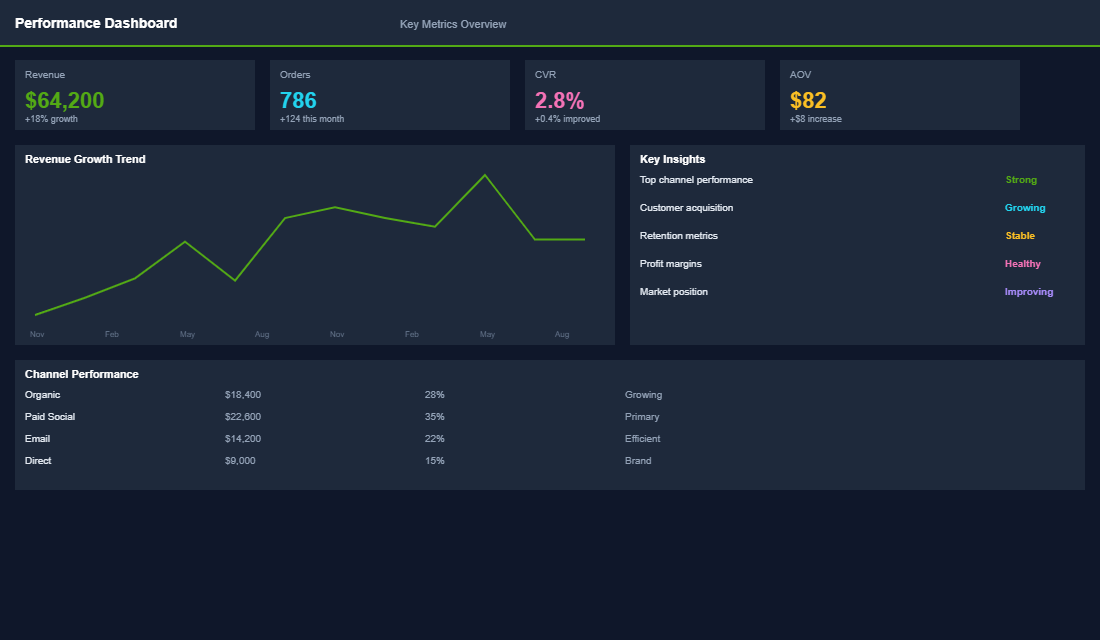
7. Weekly reporting and review. What to report on each week: revenue vs target (are you tracking to monthly goal?), traffic by channel (organic, paid, email, social, direct), conversion rate trends (site-wide and by device – mobile vs desktop), email performance (open rates, click rates, revenue per email), ad spend and ROAS by platform, inventory status (any stockouts or slow movers?), and customer service metrics (response time, resolution rate, CSAT score). Include where to pull each metric (Shopify Analytics, GA4, Klaviyo, Meta Ads Manager), what “good” looks like for each number, and what actions to take when metrics are off-track. This weekly ritual takes 45-60 minutes and is the single best investment of time a store owner can make.
How to Write SOPs That Actually Get Used
Most SOPs fail not because they are wrong, but because they are too complicated, too long, or stored somewhere nobody can find them. Here is how to write SOPs that your team (including future team members) will actually follow.
Use the “explain it to a smart teenager” test. Your SOP should be clear enough that someone with no ecommerce experience could follow it and get a correct result. Avoid jargon, spell out every click, and include screenshots for any process that happens in a tool or dashboard. The goal is zero ambiguity – if someone has to guess what you meant, the SOP has failed.
Keep each SOP to one page (or less). If an SOP is longer than one page, it is either too detailed or covering too many processes. Break it into sub-procedures. A 10-page SOP looks intimidating and will never be read. A one-page checklist gets pinned to the wall and used daily.
Use numbered steps, not paragraphs. SOPs are instructions, not essays. Number every step sequentially: Step 1: Log into Shopify admin. Step 2: Navigate to Orders. Step 3: Filter by “Unfulfilled.” Each step should describe one action. If a step has an “and” in it, split it into two steps.
Include the “what if” scenarios. The best SOPs anticipate problems. After the main steps, add a short troubleshooting section: “If the customer’s address shows as unverified, do X.” “If inventory count does not match Shopify, do Y.” “If the ad account is flagged, notify [person] immediately.” These edge cases are where most mistakes happen without SOPs.
Store them where people work. Google Docs, Notion, or Trainual – pick one platform and put all SOPs there. Link them in your project management tool (Asana, Trello, ClickUp) next to the tasks they relate to. If your team has to search for an SOP, they will not use it. Make it two clicks maximum to find any procedure. Trainual ($249/month) is specifically built for small business SOPs and onboarding – if you are serious about building a team, it pays for itself within the first hire.
Building Your Daily Routine Around SOPs
The real power of SOPs emerges when you build your entire daily routine around them. Here is the structure we recommend for Shopify store owners doing $10K-$100K/month:
- Morning block (30 minutes): Daily store check SOP. Review overnight orders, check metrics, flag any issues. This is reactive time – handling what happened while you slept.
- Mid-morning block (2-3 hours): Growth work. This is your protected time for strategic activities: marketing campaigns, product development, partnership outreach, content creation. No email, no Slack, no firefighting during this block. This is non-negotiable – it is the only time that moves your business forward.
- Afternoon block (1-2 hours): Operational tasks using SOPs: customer service, order processing, inventory checks, social media. These are the tasks that can (and should) eventually be delegated to a VA or team member. Every one of these tasks should have a documented SOP before you hand it off.
- Weekly block (1 hour): Weekly reporting SOP. Review metrics, assess what is working, plan the following week. This is when you step back from the business and look at the numbers that matter. Block this at the same time every week – most store owners find Friday afternoon or Monday morning works best.
The Delegation Roadmap: Which SOPs to Hand Off First
Once your SOPs are documented, the next question is: which ones do you delegate first? Not everything should leave your plate at once. Here is the order that works for most Shopify store owners scaling from solo operator to small team:
Phase 1 – Hand off immediately (saves 10-15 hours/week): Order processing and fulfilment, customer service responses (with template library), and social media scheduling from the content bank. These are high-volume, low-judgment tasks that a VA at $8-15 AUD/hour can handle with clear SOPs from day one.
Phase 2 – Hand off after 2-4 weeks (saves 5-8 hours/week): Inventory management reviews, new product listings (using your template), and the daily store check routine. These require slightly more judgment but are still process-driven with clear guidelines.
Phase 3 – Keep or hire specialist (your highest-value time): Weekly reporting and strategic decisions, ad campaign management, supplier negotiations, and growth strategy. These are the tasks where your expertise and judgment matter most – and where your time generates the highest return. For a detailed breakdown of what to keep vs delegate at each revenue stage, check our guide on the ecommerce delegation playbook.
Systems Set You Free
SOPs feel like boring admin work until the day they save your business. The day you can hand your daily store check to a VA and know it will be done correctly. The day you go on holiday and your store runs without you for two weeks. The day you onboard a new team member in 3 days instead of 3 weeks. That is the payoff of investing time in systems today.
Start with the daily store check and customer service templates – those two SOPs alone will save you 5-10 hours per week and improve consistency immediately. Then add one new SOP per week until all seven are documented. Within two months, you will have a complete operational playbook that transforms how you run your store.
Inside the eCommerce Circle, building operational systems is at the heart of our Practice pillar – the daily operations that keep your business running smoothly. We help members create SOP templates, build daily routines, and design the systems that let them work on the business instead of in it.
The SOP Stack: The Tools That Make Procedures Actually Stick
A written SOP that lives in a Google Doc nobody opens is theatre. The brands that genuinely step back from the day to day pair each procedure with a tool that makes following it the path of least resistance.
- Loom or Tango for the “show me” version. A three minute screen recording kills most of the back and forth a text-only SOP creates. Tango auto-generates step by step guides with screenshots as you click.
- Trainual or Notion as the home base. One searchable place for every SOP, versioned and assigned. Trainual tracks who has read what, which matters the day you onboard your first VA.
- ClickUp or Asana for the recurring stuff. Turn the SOP into a checklist that fires on a schedule so daily order processing and weekly reporting never rely on memory.
The payoff is measurable. Brands that document before they delegate typically cut new-hire onboarding time by 40 to 60% and win back 6 to 10 hours of founder time a week inside the first quarter. Error rates on fulfilment and customer replies drop because the right way is written down, not improvised at 9pm.
Imagine you bring on a Philippines-based VA at AUD 9 to 12 an hour to run order processing and tier-one support. With a Loom walkthrough and a Trainual checklist they are productive in days, not weeks, and you are not re-explaining the same task every Monday. If you are at that point now, the Shopify first hire playbook maps out which role to hand off first so your SOPs free up the most of your week.
If you feel trapped by your own store and cannot step away without everything falling apart, let’s talk.