Here is the uncomfortable truth about most Shopify stores doing between $40k and $500k a month: customer service is being run out of a personal inbox, between sending invoices and writing ads, by a founder who treats every ticket as an interruption. Support is the thing you do when you have a spare ten minutes, which means it is the thing that never gets done well.
What’s in This Article
That instinct costs you more than you think. When a customer gets a reply in under an hour, they stick around at a 71% rate. Wait 24 hours and that drops to 48%. Same customer, same problem, same product. The only variable is how fast you answered, and you are leaving roughly a quarter of your repeat revenue on the table because the reply sat in a queue overnight.
The brands that compound past seven figures do not see support as a cost to minimise. They see it as the cheapest retention channel and one of the highest-converting sales channels they own. This is the playbook they use to get there, built around the People and Patrons pillars of the More Orders Operating System. By the end you will have a six-stage system and a checklist you can hand to whoever runs your inbox tomorrow morning.
Why Support Is the Most Underpriced Growth Lever You Own
Most operators spend their energy at the top of the funnel. More ad spend, more traffic, more new customers. Support sits at the bottom of the priority list because it does not show up as a line item on the dashboard the way ROAS does. That is exactly why it is underpriced.
Consider what the data actually says about retention economics. A 5% lift in customer retention can increase profit by anywhere from 25% to 95%, because you are not paying acquisition costs a second time. Customers who receive excellent service show 87% retention. Those who get poor service sit at 41%. And 80% of consumers will switch to a competitor after a single bad experience.
Put those numbers next to your customer acquisition cost. If you are paying $40 to $60 to acquire a customer through Meta, then losing them over a slow or sloppy support reply is one of the most expensive mistakes in the business. Support is not the thing you do after growth. For a brand your size, it is growth.
The shift in mindset is simple but it changes everything. Stop asking “how do I spend less time on tickets” and start asking “how do I build a system that turns every ticket into a retained or upsold customer”. The six stages below do exactly that.
Stage 1: Get Off Your Personal Inbox and Into a Real Helpdesk
If your support still lives in Gmail or Outlook, this is the first thing to fix. A personal inbox has no shared visibility, no tagging, no automation, and no way to see who said what to a customer six months ago. Two staff trip over each other, customers get answered twice or not at all, and you cannot measure a single thing.
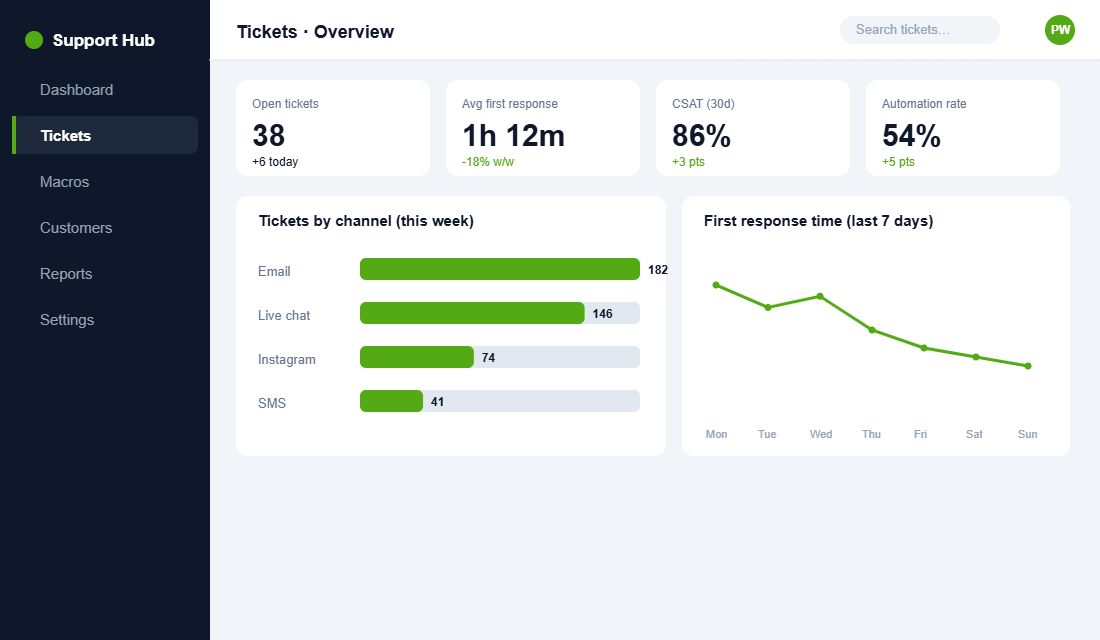
A purpose-built ecommerce helpdesk solves this. The reason nearly 40% of the largest Shopify brands run Gorgias rather than a general tool like Zendesk is that it is built around the store. When a customer emails, the agent sees their full order history, tracking, and lifetime value right next to the message, and can issue a refund, edit an order, or trigger a reship without ever leaving the ticket.
Here is how to stand it up properly in an afternoon:
- Connect Shopify first. Install the Gorgias app from the Shopify App Store and authorise it. This pulls order data, customer profiles, and refund actions into the helpdesk so agents never tab back and forth.
- Centralise every channel. Connect your support email, live chat widget, Instagram, Facebook, and SMS so every conversation lands in one queue instead of five apps.
- Set business hours in AEST. Define your real support window so auto-responses and SLA timers reflect Australian time, not a default US zone.
- Turn on order-status auto-responses. “Where is my order” is the single most common ticket. Let the helpdesk answer it automatically with live tracking pulled from Shopify.
You do not need a developer for any of this. The whole point of a Shopify-native helpdesk is that an operator can configure it. Once it is live, you have a foundation you can actually build a team and a system on, which matters the moment you make your first support hire.
Stage 2: Build a Macro Library That Kills Repetitive Tickets
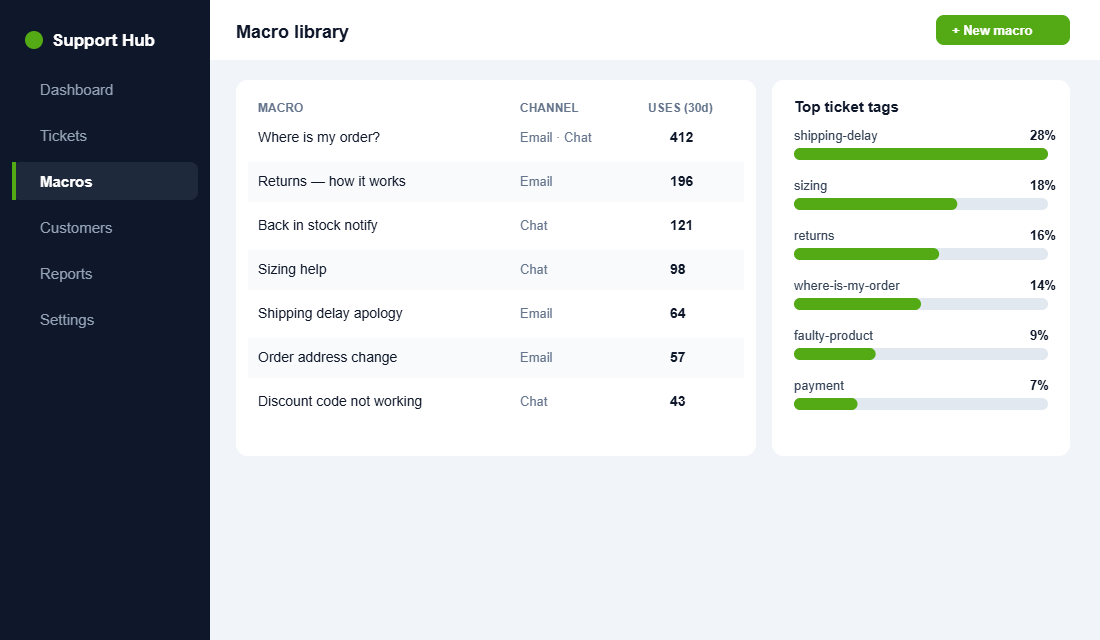
Open your last 200 tickets and tag them by topic. You will find the same pattern every store has: roughly 80% of your volume comes from about ten question types. Where is my order. Can I change my address. How do returns work. Is this back in stock. What is your sizing like. Do you ship to my state. The list barely changes between brands.
If you are writing those answers from scratch every time, you are burning hours and producing inconsistent replies. The fix is a macro library, which is a set of pre-written, on-brand response templates your team triggers in two clicks and then personalises.
Build it like this:
- Write a macro for each of your top ten ticket types. Keep them warm and human, not robotic. Use merge tags so the customer’s name and order number drop in automatically.
- Add a clear next step to every macro. Never leave a reply hanging. Each template ends with what happens next or what you need from the customer.
- Tag every ticket on close. Tags like “sizing”, “shipping-delay”, or “faulty-product” become a free product and operations report. If 18% of tickets are sizing questions, your product page needs a better size guide, not more macros.
- Review macros monthly. Language, policies, and products change. A stale macro that quotes the wrong returns window is worse than no macro at all.
To make this concrete, here is the shape of a strong shipping-delay macro you can adapt today:
Hi {{first_name}}, thanks so much for your patience. I have checked order {{order_number}} and it is currently with the courier. The latest tracking shows it should reach you by {{date}}. I am genuinely sorry it has taken longer than expected. I have flagged it on our side and will keep an eye on it personally. If it has not arrived by {{date}}, just reply here and I will sort a replacement straight away.
Notice what that template does. It owns the delay without grovelling, gives a specific date rather than a vague “soon”, and ends with a clear commitment. That is the difference between a reply that calms a customer and one that winds them up. Write all ten of your top macros to that standard.
A good macro library does double duty. It cuts handling time dramatically, and the tags hand you a live map of what is broken upstream in the store. That is the People pillar working for the Product and Platform pillars at the same time.
Stage 3: Set Response-Time SLAs You Can Actually Hit
Speed is the single biggest driver of how customers rate a support experience. Australians in particular rank speed at the top, and 66% of buyers now expect a response within ten minutes of getting in touch. On live chat the benchmark is brutal: a reply under 40 seconds keeps people happy, and satisfaction starts falling once you pass three minutes.
The industry average first response time sits at four to six hours, while best-in-class teams answer in 30 to 60 minutes. You do not need to be best-in-class on day one. You need a target you can hit consistently, because an inconsistent fast reply is worse than a reliable slower one.
Set tiered SLAs by channel rather than one blanket number:
- Live chat: under 2 minutes during business hours. If you cannot staff that, set the widget to “away” outside hours and capture an email instead of leaving people hanging.
- Email and social: under 4 hours during business hours. This already beats the industry average and is realistic for a small team with a macro library.
- Anything flagged urgent or angry: under 1 hour. Route these to a priority view so they never sit behind routine “where is my order” messages.
Then make the SLA visible. Put the timer on a dashboard your team sees, and review breaches weekly. A target nobody measures is a wish, not a standard.
Stage 4: Deflect the Tickets You Should Never Have to Touch
The fastest ticket is the one that never reaches a human. Every “where is my order” or “how do returns work” message a customer answers themselves is time back for your team and an instant resolution for them. This is deflection, and it is where most Aussie stores leave the easiest wins on the table.
Three deflection layers cover the bulk of routine volume:
- A genuinely useful FAQ. Not a dumping ground of legalese. A tight, well-structured page that answers the real top-ten questions in plain language. Build it properly using the FAQ page playbook and link to it from the cart, footer, and order confirmation email.
- A self-service order tracking page. Let customers check their own delivery status without emailing you. This alone can remove the biggest single ticket category from your queue.
- A self-serve returns portal. Returns are emotional and high-volume. A guided portal that handles the common cases keeps customers in control and your inbox clear. Get the policy and flow right with the returns and exchanges playbook.
One caution for Australian stores. Deflection is about convenience, not about dodging your obligations. Under Australian Consumer Law your customers have guaranteed rights to refunds and remedies on faulty goods, and a self-service flow must respect that, not bury it. Make the easy path easy, and make the human always reachable when the case is genuine.
Stage 5: Turn Pre-Sale Questions Into Sales
Here is the part almost every founder misses. Support is not only about people who have already bought. A huge share of inbound questions come from people deciding whether to buy at all. “Will this fit a queen bed.” “Is this in stock before Friday.” “What is the difference between these two.” Every one of those is a sales conversation wearing a support hat.
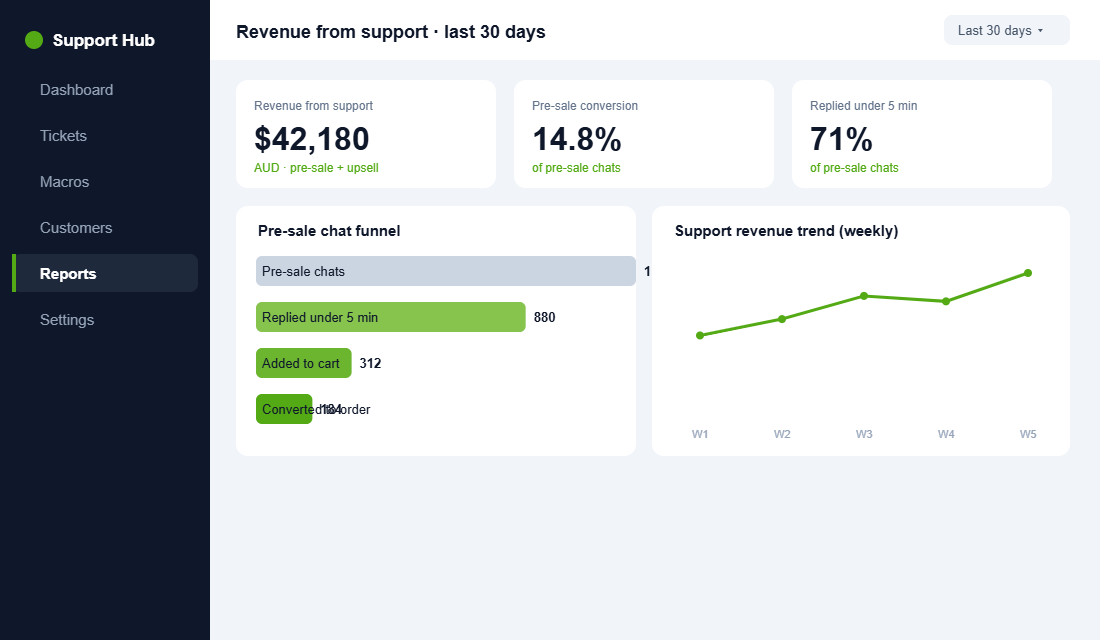
Treat them that way and the numbers move fast. The bathroom brand TUSHY used an AI agent to answer pre-sale questions accurately and saw a 15% conversion rate on those conversations, with the assistant driving twice the sales of human-only handling. More broadly, brands running a shopping assistant in chat report up to a 2.5x increase in conversions from support, because a well-timed product recommendation lands exactly when intent is highest.
Timing compounds the effect. Roughly 93% of purchases influenced by an assistant happen within the first 48 hours of the conversation, so the window to convert a question into an order is short and it opens the moment they reach out. A buyer asking “does this run small” on a Friday night is not going to wait until Monday for your answer, they are going to buy from whoever replies first.
You see this play out with the Australian brands that have scaled hard on Shopify. The ones with a real following, the Who Gives A Crap and Princess Polly types, are relentless about answering buying questions fast and in a voice that sounds like a person rather than a script. That tone is not an accident, it is a deliberate support standard, and it is a big part of why their customers come back and tell their friends.
Speed is everything here. Leads contacted within five minutes are 21 times more likely to convert than those contacted after thirty. To capture that:
- Put live chat on your product and cart pages, not buried in the footer. That is where buying questions happen.
- Train your team to recommend, not just answer. A pre-sale macro should confirm the answer and suggest the right product or bundle.
- Tag pre-sale tickets separately. You cannot manage what you do not measure, and pre-sale volume is your warmest, most ignored lead source.
Stage 6: Measure the Three Numbers That Actually Matter
You can drown in support metrics. Ignore the vanity ones. Three numbers tell you whether your system is healthy, and they map directly onto the Performance discipline that runs through the whole More Orders system.
- First Response Time (FRT). How long until the customer hears from you. This is the lever with the biggest impact on retention and satisfaction. Drive it down first.
- CSAT. The average ecommerce CSAT benchmark is around 82%. Below that you have a quality problem. Aim for 85% or higher, which is where the strong brands live.
- Resolution Time. How long until the issue is fully closed. Fast first replies followed by slow resolutions still erode trust.
These are not soft metrics. Brands that tighten this loop see it in the P&L. Gorgias customers report 43% faster first response times, a 30% reduction in support labour costs, and 44% higher customer lifetime value after a year. That last number is the whole argument for treating support as a Patrons investment rather than an expense.
Who Should Own Support (and When to Hire Your First Agent)
A system only works if someone owns it. In the early days that someone is you, and that is fine, because there is no faster way to understand your customers than answering their questions yourself. The mistake is staying there too long. Once support is eating more than an hour or two of your day, every ticket you answer is a strategic task you are not doing.
A useful rule of thumb: when steady ticket volume passes roughly 150 to 200 a week, or when support reliably costs you more than ten hours, it is time to bring in a dedicated person. For most Aussie founders the first support hire is a part-time or virtual assistant rather than a full-time local employee, and the helpdesk you built in Stage 1 is what makes that handover possible.
Hand over in the right order so quality does not slip:
- Routine tickets first. Order status, tracking, and address changes are low-risk and fully covered by your macros. This is where a new hire builds confidence.
- Returns and exchanges next. Once they know your policy and your tone, hand over the higher-emotion cases with a clear escalation path back to you.
- Pre-sale and complex cases last. Revenue conversations and anything touching Australian Consumer Law stay with you or a senior agent until the playbook is second nature.
Document the whole thing as you go. The macros, the SLAs, the escalation rules, and the tagging conventions are your support standard operating procedure. With that written down, the next hire takes days to onboard instead of months, and the standard does not live only in your head. That is the People pillar done properly.
The Compound Effect: Support as a Flywheel
Look at what happens when these six stages run together rather than in isolation. The helpdesk gives you one queue and full Shopify context. Macros and SLAs make replies fast and consistent. Deflection strips out the routine volume so your team has time for the conversations that matter. Pre-sale handling converts browsers into buyers. And the three metrics tell you where to tighten next.
Each piece makes the next one stronger. Faster responses lift retention. Higher retention means more repeat customers, who generate warmer, easier tickets and higher lifetime value. Ticket tags feed your product and platform fixes, which cut future volume, which frees up more time for revenue conversations. That is a flywheel, and it spins faster the longer you run it.
The brand still firefighting from a personal inbox is on a treadmill instead. More sales create more tickets, more tickets create more chaos, and the founder ends up capping growth just to keep the inbox under control. Same products, completely different trajectory. The only difference is whether support was built as a system or left as an afterthought.
Your Shopify Customer Service Playbook (Save This Checklist)
Here is the whole system in one place. Work top to bottom. If you can tick every box, support has gone from your biggest time drain to one of your most reliable growth levers.
- Foundation: Support is off personal inboxes and inside a Shopify-native helpdesk with order data, refunds, and all channels in one queue.
- Macros: Your top ten ticket types each have an on-brand template with merge tags and a clear next step, reviewed monthly.
- Tagging: Every ticket is tagged on close, and you review the tag report to fix upstream product and platform issues.
- SLAs: Tiered targets are set by channel (chat under 2 minutes, email under 4 hours, urgent under 1 hour) and measured weekly in AEST.
- Deflection: A tight FAQ, self-service order tracking, and a returns portal handle routine volume, while respecting Australian Consumer Law rights.
- Pre-sale: Live chat sits on product and cart pages, the team recommends rather than just answers, and pre-sale tickets are tagged and tracked.
- Metrics: You watch First Response Time, CSAT (target 85% plus), and Resolution Time, and act on them every week.
Inside eCommerce Circle, building a support system that protects margin and drives repeat orders is one of the core pillars we work on with every member. If you want a second opinion on yours, let’s talk.