If your Shopify store is relying on paid ads alone, you are renting your traffic.
What’s in This Article
Every dollar you stop spending on Meta or Google disappears. The traffic stops. The sales dry up. You are back to zero.
But the ecommerce brands building real, lasting businesses? They have an organic search engine working for them around the clock. Customers finding their products through Google every single day, without paying a cent per click.
The secret is not some complex SEO strategy requiring a full-time specialist. It is a handful of high-impact optimisations on the pages that actually matter: your product pages.
Here are the eight product page SEO fixes we implement with every eCommerce Circle member. (For a broader look at ranking your entire store, our complete Shopify SEO guide covers everything from technical foundations to content strategy.) Most take under 30 minutes each, and collectively they can double your organic traffic within 90 days.
1. Write Product Titles That Humans and Google Both Love

Most Shopify stores name their products something like “The Classic Tee” or “Summer Glow Serum.” That is great for branding. Terrible for search.
Google needs context. When someone searches “organic cotton crew neck t-shirt mens Australia,” your product called “The Classic Tee” is invisible. Google has no idea what it is.
The fix: Structure your product titles to include the primary keyword naturally. The formula that works best for ecommerce is:
[Primary Keyword] + [Key Differentiator] + [Brand Name]
So “The Classic Tee” becomes “Organic Cotton Crew Neck T-Shirt – Relaxed Fit | YourBrand.” It still feels on-brand, but now Google understands exactly what it is and who to show it to.
This one change alone can lift organic impressions on product pages by 40-60% within weeks. We have seen it happen consistently across dozens of stores.
One detail most guides miss: your Shopify SEO title (set in the product’s search engine listing preview) can be different from your on-page product name. Use the SEO title for the keyword-rich version and keep the on-page name brand-friendly.
This gives you the best of both worlds, strong search visibility without compromising the aesthetic of your product page. Most stores we audit inside eCommerce Circle are not using this field at all, which means they are leaving easy rankings on the table.
2. Stop Writing 30-Word Product Descriptions
Here is the uncomfortable truth about thin product descriptions: Google treats them as thin content. And thin content rarely ranks.
If your product description is three bullet points and a sentence, you are giving Google almost nothing to work with. You are also giving your customer almost nothing to feel confident about buying.
The minimum viable product description is 300 words. But 500 or more is where the magic happens.
That sounds like a lot. It is not, once you break it into sections:
- Opening hook (2-3 sentences): Speak directly to the problem your product solves. “Tired of sunscreens that leave a white cast on darker skin tones?”
- Key features and benefits (150+ words): Do not just list features. Translate each one into a benefit. “Zinc-based SPF50+” becomes “Reef-safe SPF50+ protection that blends invisibly into every skin tone.”
- Use case or scenario (50-100 words): Help the customer picture themselves using it. “Perfect for beach days, school drop-offs, or long weekends at the campground.”
- Social proof snippet (50+ words): Pull in a real customer quote or highlight a review stat. “Rated 4.8 stars by over 2,400 Australian customers.”
- Specifications (as needed): Size, weight, materials, ingredients. This is also prime territory for long-tail keywords your competitors miss entirely.
One of our members (an Australian skincare brand) rewrote their top 20 product descriptions using this structure. Within 60 days, organic traffic to those pages increased by 127%.
3. Fix Your URL Slugs (They Are Probably Hurting You)

Shopify auto-generates URL slugs from your product title. If your product is called “The Summer Glow Serum – Limited Edition 2025 Collection,” your URL becomes something like:
/products/the-summer-glow-serum-limited-edition-2025-collection
That is bloated, includes unnecessary words, and has a date that will make it look outdated in six months.
The ideal product URL is short, keyword-rich, and evergreen:
/products/vitamin-c-glow-serum
Remove filler words (“the,” “a,” “and”), remove dates and collection names, and lead with your primary keyword. Google gives slight preference to shorter, cleaner URLs, and they perform significantly better when shared on social media or in emails.
Important: If you change existing URLs, you must set up 301 redirects from the old URL to the new one. Shopify handles this automatically when you edit a product URL slug, but always verify.
4. Add Schema Markup for Rich Snippets
Ever notice how some Google results show star ratings, prices, and stock availability right in the search results? Those are rich snippets, and they are powered by schema markup.
Products with rich snippets get significantly higher click-through rates, studies show up to 30% more clicks compared to plain text results. When a shopper sees a 4.8-star rating and “$49.95 – In Stock” right in Google, they are far more likely to click.
Most modern Shopify themes include basic product schema, but it is often incomplete or outdated. The critical fields you need:
- Product name and description
- Price and currency (AUD for Australian stores)
- Availability (InStock, OutOfStock, PreOrder)
- Review count and aggregate rating
- Brand name
- SKU and GTIN (if applicable)
Apps like JSON-LD for SEO or the built-in Rank Math integration can generate this automatically. But always validate your markup using Google’s Rich Results Test tool to make sure everything is rendering correctly.
5. Optimise Your Product Images (Not Just Alt Text)
Everyone talks about alt text. And yes, you should absolutely write descriptive, keyword-rich alt text for every product image.
But image SEO goes much deeper than that.
File names matter. Before you upload an image to Shopify, rename it from “IMG_4521.jpg” to “organic-cotton-crew-neck-tshirt-olive-green.jpg.” Google reads file names as a relevance signal, and most store owners completely ignore this.
File size matters enormously. Large, uncompressed images are one of the top page speed killers for Shopify stores. Every product image should be compressed to under 200KB without visible quality loss. Tools like TinyPNG or Shopify apps like Crush Pics handle this automatically.
Use WebP format where possible. WebP images are 25-35% smaller than equivalent JPEGs with no quality difference. Most modern browsers support WebP, and Shopify’s CDN can serve them automatically if your theme supports it.
Multiple angles and lifestyle shots help SEO too. Google increasingly uses visual signals to understand product pages. A page with 5-8 high-quality images (product shots, lifestyle images, close-up details) signals to Google that this is a comprehensive, high-quality product page worth ranking. If you need help setting up a product photography workflow, our DIY product photography guide walks you through the full process on any budget.
6. Build Internal Links Between Products and Collections
Internal linking is the most underrated SEO strategy in ecommerce. Most stores have zero internal links on their product pages beyond the default navigation menu.
This is a massive missed opportunity.
Every product page should link to at least 2-3 related products or collections within the description. Not just “You may also like” widget recommendations, actual contextual links within the product copy.
For example: “This serum pairs perfectly with our Daily Moisturiser SPF50 for a complete morning skincare routine. See our full Australian Skincare Collection for the complete range.”
These links do three things simultaneously. They pass SEO authority between your pages, helping more of them rank. They increase time on site by guiding customers to discover more products. And they boost average order value by naturally cross-selling related items.
We typically see a 15-25% increase in pages indexed after implementing a deliberate internal linking strategy. Google finds and crawls more of your product pages, which means more opportunities to rank.
7. Add Customer Reviews Directly to Product Pages
Customer reviews are not just trust signals for shoppers. They are user-generated content that Google indexes and ranks.
Think about it: every review a customer leaves on your product page adds unique, keyword-rich content that you did not have to write. Customers naturally use the exact search terms other shoppers type into Google. “This moisturiser is perfect for sensitive skin” or “best lightweight sunscreen for Australian summer”, these are real long-tail keywords appearing organically on your page.
Stores with active review programmes consistently outrank competitors on long-tail product searches. The data we see across eCommerce Circle members shows that product pages with 10+ reviews rank an average of 12 positions higher than identical pages with zero reviews.
The key is making reviews visible to Google. Some review apps load content via JavaScript that search engines cannot see. Make sure your review app renders server-side or uses structured data that Google can crawl. Stamped.io (from $23/month), Judge.me (free plan available), and Loox (from $9.99/month) all handle this correctly.
To maximise the SEO value of your reviews, encourage customers to leave detailed feedback, not just star ratings.
Send a post-purchase email 7-10 days after delivery asking specific questions: “How does the fit compare to what you expected?” or “What made you choose this product over alternatives?” These prompts generate longer, keyword-rich reviews that Google indexes as fresh content on your product pages. One of our members saw a 45% increase in organic traffic to reviewed product pages within 90 days of implementing this approach through their Klaviyo post-purchase flow.
8. Fix Your Mobile Page Speed (It Is Probably Worse Than You Think)
Google’s ranking algorithm is mobile-first. That means Google primarily looks at the mobile version of your product pages when deciding where to rank them. Not desktop. Mobile.
And here is where most Shopify stores are bleeding rankings without realising it: their mobile page speed is terrible.
Run your top product pages through Google PageSpeed Insights right now. If your mobile performance score is below 50, you are actively being penalised in search rankings.
The biggest mobile speed killers on Shopify product pages:
- Uncompressed hero images: A single 3MB product photo can add 4+ seconds to load time on mobile. Compress everything under 200KB.
- Too many apps loading scripts: Each Shopify app adds JavaScript to your page. If you have 15 apps installed, you might have 15 separate scripts fighting for bandwidth. Audit ruthlessly and remove any app you are not actively using.
- Render-blocking third-party scripts: Facebook Pixel, Google Analytics, Hotjar and chat widgets all add up. Defer non-essential scripts so they load after the page content.
- Oversized theme files: Some premium themes are bloated with features you never use. Consider whether a leaner theme would serve you better in the long run.
For the full breakdown of every performance lever, see our Shopify site speed optimisation guide. One eCommerce Circle member improved their mobile PageSpeed score from 28 to 72 by compressing images, removing 6 unused apps, and deferring non-critical scripts. Their organic traffic increased by 34% in the following 8 weeks, without changing a single word of content.
Which Fix First? Start With Pages Already Sitting on Page Two
Eight fixes across hundreds of product pages is too much to do at once. The fastest wins come from pages Google already half-trusts: products ranking in positions 8-20 for a term with real search volume.
Open Google Search Console, go to Performance, filter pages to contain /products/, and set the date range to the last three months. Sort by impressions and look for this pattern:
- High impressions, low clicks, position 8-20. These are your priority pages. Fixes 1 (titles), 2 (descriptions) and 4 (schema) tend to move them fastest.
- Position 1-5 but CTR under 3%. The ranking is fine, the listing is not. Rewrite the title tag and add review stars via schema to lift click-through.
- No impressions at all. Check the page is indexed (URL Inspection tool) before spending any time on copy.
For most Shopify stores, the first 20 pages on that list will account for more than half of the traffic gain you get in 90 days. Work through them in batches of five, and log the date you changed each one so you can compare before and after.
How to Measure Your 90 Days Properly
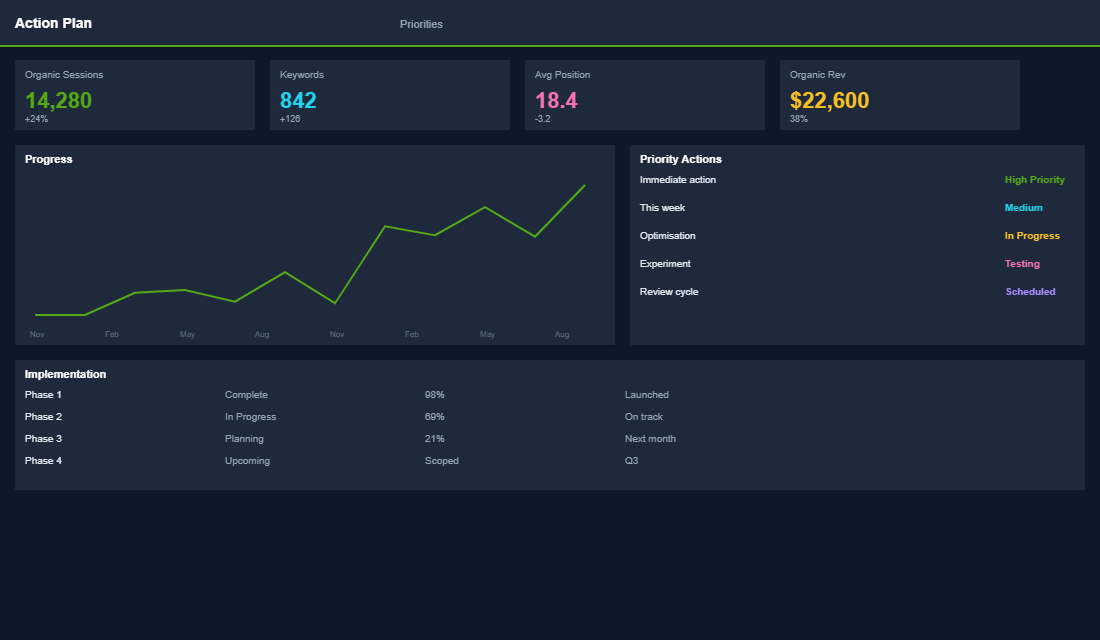
Organic traffic moves slowly and bounces around week to week, so you need a clean before and after. Record these four numbers for your priority pages on day zero, then check them again at day 30, 60 and 90:
- Clicks from Search Console for those specific URLs, not your whole site.
- Average position for the main keyword on each page.
- Organic revenue in GA4, filtered to the Organic Search channel and those landing pages.
- Rich result coverage in Search Console, which confirms your schema is being picked up.
Realistic expectations matter here. Most stores see the first movement in 3-6 weeks, and a 30-60% lift in clicks to the updated pages by day 90 is a solid result. Doubling is achievable when you start from thin descriptions and no schema. To go further on the technical side, our structured data playbook covers product, review and breadcrumb schema, and the collection page SEO playbook shows how to pass that authority between collections and products.
The Compound Effect of Getting These Right
None of these eight optimisations is revolutionary on its own. A better product title here, a compressed image there, a few internal links. Each one might move the needle 5-10%.
But combined, they compound. A product page that has all eight optimisations in place sends dramatically stronger signals to Google than a page with none of them. You are not just improving one ranking factor, you are improving eight simultaneously.
And unlike paid advertising, these improvements compound over time. A product page you optimise today will still be driving organic traffic 12, 24, even 36 months from now. That is the difference between renting traffic and owning it.
Start with your top 10 products by revenue. Implement all eight fixes on those pages first. Track your rankings, organic traffic, and organic revenue for 90 days.
The results will speak for themselves, and give you the momentum to roll these optimisations across your entire catalogue.
Product page SEO is one of the highest-ROI activities inside the eCommerce Circle. It falls under the Promotion pillar in our More Orders Operating System, because driving organic traffic to product pages that convert is how you build a store that grows without endlessly increasing ad spend. If you want help building an organic traffic engine for your Shopify store, let’s talk.