At some point you might look at your site and think, “this needs a redesign.” You could be right. But a common mistake is assuming the site is the problem when it isn’t, and a big rebuild fixes nothing because the real issue was the offer, the shipping costs or the traffic.
This guide is for owners of established Australian online stores who are weighing up a new site. It covers how to work out whether you need a redesign at all, the three ways to get one done, what the platforms actually cost to run, the payback maths before you sign, the Australian must-haves, and a one-page brief you can send to anyone.
It’s not a pitch for a design firm. Sometimes the honest answer is “keep your platform, fix three pages and spend the rest on something else”.
Step 1: Work out whether design is really the problem
A redesign is the most expensive way to fix a conversion problem, so rule out the cheaper causes first.
Baymard Institute puts the average documented cart abandonment rate at 70.22%, averaged across 50 studies (Baymard: cart abandonment rate statistics). When Baymard asks US shoppers why they abandoned (excluding people who were “just browsing”), the top reasons are:
| Reason shoppers gave for abandoning | Share | Fixed by a redesign? |
|---|---|---|
| Extra costs too high (shipping, tax, fees) | 40% | No. It’s a pricing and shipping decision |
| Delivery was too slow | 20% | No. It’s an operations and carrier decision |
| Didn’t trust the site with card details | 19% | Partly. Design, reviews and payment badges help |
| Site wanted me to create an account | 18% | Usually a setting, not a redesign |
| Too long or complicated checkout | 17% | On Shopify, mostly a settings and apps question |
| Website had errors or crashed | 17% | Yes, if the theme or apps are the cause |
| Returns policy wasn’t satisfactory | 13% | No. It’s a policy decision |
| Couldn’t see total order cost up-front | 12% | Partly. Show shipping costs earlier |
Source: Baymard, figures as listed on the page linked above. The “fixed by a redesign?” column is our judgement, not Baymard’s.
Look at that list. The two biggest reasons are about money and delivery, not looks. Australia Post’s 2026 eCommerce Report makes the same point locally: it reports that 69% of shoppers want delivery options at checkout (Australia Post 2026 eCommerce Report). That’s a shipping setup question first.
Before you brief anyone, check your conversion rate against a sensible benchmark. Our Shopify conversion rate benchmarks help you work out whether you have a site problem or a traffic problem.
The redesign test
You probably do need design work if most of these are true:
- Your mobile pages are slow and fail Core Web Vitals (see below).
- The theme is old, heavily hacked, and every small change needs a developer.
- Your products have changed (new range, new price point) and the site no longer explains them.
- You’re replatforming anyway.
- Customers tell you they can’t find things, and your search and navigation data backs that up.
You probably don’t need a redesign if your shipping costs, delivery times, returns policy or traffic quality are the weak point. Fix those first. They’re cheaper and the gains show up faster.
Step 2: Check the speed numbers Google actually uses
Google’s Core Web Vitals give you an objective check that doesn’t depend on anyone’s taste. web.dev sets the “good” thresholds as:
- Largest Contentful Paint (loading): within 2.5 seconds
- Interaction to Next Paint (responsiveness): 200 milliseconds or less
- Cumulative Layout Shift (visual stability): 0.1 or less
It recommends measuring at the 75th percentile of page loads, split by mobile and desktop (web.dev: Web Vitals). Search Console shows these for your own site under Core Web Vitals.
If your product and collection templates fail on mobile, that’s a real, measurable reason to change something. Check the apps loaded on every page before you blame the design, because they can be the cause. Our Shopify theme guide covers what a theme has to hit and when switching makes sense.
Step 3: Choose how you’ll get it done
There are three realistic routes for an established store. Here’s how they compare.
| DIY with a quality theme | Freelance designer or developer | Agency or studio | |
|---|---|---|---|
| Best for | Stores whose products and brand haven’t changed much; owners with time and a good eye | A defined job: new theme setup, a few custom sections, a page redesign | Replatforming, complex catalogues, integrations, or a full brand refresh |
| What you’re paying for | Your time plus the theme and apps | One person’s skill, for a set scope | A team: strategy, design, development, project management |
| Biggest risk | It takes longer than you think, and you stop running the business | Key-person risk if they disappear; scope creep | Paying for process you don’t need; lock-in to their developers |
| What to insist on | Stick close to the theme’s defaults; test on your phone | Written scope, milestones, IP assignment, code in your store | Fixed scope, named team, redirect plan, 30-day exit, IP assignment |
If you’re going the freelancer or developer route, our Shopify developer hire decision framework covers how to find, vet and structure the engagement. If you’re leaning towards a full agency, read how to choose an ecommerce agency in Australia before you sit through any pitches.
Here’s the decision path, step by step:
- Are shipping costs, delivery times or returns the bigger problem? If yes, fix those first and re-check in 60 days. If no, go to question 2.
- Do your mobile templates fail Core Web Vitals, or is the theme too hacked to change? If no, make targeted fixes to the product page, navigation and trust signals, yourself or with a freelancer. If yes, go to question 3.
- Are you changing platform or restructuring URLs? If no, put a new theme on the same platform, yourself or with a freelancer, with a test plan. If yes, use an agency or experienced developer with a written redirect plan.
Step 4: Know what the platform costs to run
The build is a one-off. The platform is forever. Here’s what three common platforms list on their own pricing pages, checked 30 October 2026.
| Platform | Listed plan pricing | Transaction fees to watch | Notes |
|---|---|---|---|
| Shopify (Australia) | Basic $56 AUD/mo, Grow $149 AUD/mo, Advanced $575 AUD/mo paid monthly ($42, $114, $431 paid yearly). Plus starts at $3,700 AUD/mo | Third-party transaction fees of 2%, 1%, 0.6% or 0.2% (by plan) if you don’t use Shopify Payments | Hosting and SSL included (Shopify AU pricing) |
| BigCommerce | Core $29, Growth $79, Scale $299 per month billed annually (currency not stated on the page) | Open Payment Provider Fee of 2.0% (Core), 1.0% (Growth) or 0.6% (Scale) of eligible order GMV, unless an embedded payment provider processes the order. Plans have sales caps; Core is for up to $30K in trailing 12-month sales and auto-upgrades | (BigCommerce pricing) |
| WooCommerce | Core plugin free | Your payment processor’s fees | Hosting $25 to $350 a month for most stores; extensions $29 to $299 a year each, as listed (currency not stated as AUD) (WooCommerce pricing) |
These numbers change, so check the pages yourself before you decide. And note the BigCommerce caps: an established store may need a higher plan than the entry price suggests.
If you’re already on one of these and it works, the cheapest redesign is usually a new theme on the same platform. Replatforming adds migration cost and search risk (Step 6).
Step 5: Run the payback maths before you sign
A redesign is an investment, so test it like one. All figures below are examples. Swap in your own.
Example store
- Monthly revenue: $40,000
- Average order value: $96 (the average online basket in Australia Post’s 2026 report, used here as an example)
- Orders a month: $40,000 ÷ $96 ≈ 417
- Conversion rate: 1.5%, so sessions ≈ 417 ÷ 0.015 ≈ 27,800 a month
- Contribution margin (after product, shipping, payment fees and ad spend): 30%
Example quote: $15,000 for a new theme build, with a target payback of 12 months.
- Contribution needed each month: $15,000 ÷ 12 = $1,250
- Extra revenue needed each month: $1,250 ÷ 0.30 = $4,167
- That’s a lift of $4,167 ÷ $40,000 = 10.4%
- With traffic flat, conversion has to rise from 1.5% to about 1.66%
Now add the risk. Suppose launch goes a bit rough and revenue dips 10% for two months while you fix bugs (an example, not a forecast):
- Lost revenue: $40,000 × 10% × 2 = $8,000
- Lost contribution: $8,000 × 0.30 = $2,400
- True cost: $15,000 + $2,400 = $17,400
- Monthly contribution needed: $17,400 ÷ 12 = $1,450, so extra revenue needed is $1,450 ÷ 0.30 = $4,833
- Required lift: 12.1%, or conversion up to about 1.68%
| Scenario (examples) | Upfront cost | Lift needed for 12-month payback | Conversion rate needed |
|---|---|---|---|
| Smooth launch | $15,000 | 10.4% | ~1.66% |
| Two rough months (−10%) | $17,400 | 12.1% | ~1.68% |
| Smaller fix: product and collection templates only, $5,000 | $5,000 | 3.5% | ~1.55% |
The last row is easy to skip. A $5,000 targeted job needs a 3.5% lift ($5,000 ÷ 12 ÷ 0.30 = $1,389 a month, or 3.5% of $40,000) to pay back in a year. If your problem is specific, a specific fix pays back much faster than a full rebuild.
If a proposal needs a 30% or 40% lift to pay back, it’s either mis-scoped or mis-priced. Shrink the scope until the maths works.
Step 6: Protect your search traffic if URLs change
If the redesign changes your URLs (a new platform, new collection structure, renamed products), you need a redirect plan before launch, not after.
Google’s guidance on site moves says to map every old URL to its new one, use permanent (301) redirects, and expect temporary ranking fluctuation while Google recrawls and reindexes. It also says permanent redirects don’t cause a loss in PageRank (Google Search Central: site moves with URL changes).
What to ask whoever builds the site:
- Who’s creating the old-to-new URL map, and when do I sign it off?
- Will every product, collection, blog post and page with traffic have a 301?
- What’s the plan for the first four weeks after launch (Search Console checks, 404 monitoring)?
A designer who can’t answer those clearly isn’t the right person for a replatform, however good their portfolio looks.
Step 7: The Australian must-haves
Accessibility
The Australian Human Rights Commission’s guidelines on equal access to digital goods and services say organisations should conform with WCAG 2.2 at a minimum of Level AA (AHRC: standards and guidelines for digital accessibility). The guidelines themselves aren’t legally binding, but they set out the standard the Commission expects (AHRC: guidelines overview). Put “WCAG 2.2 AA” in your brief so it’s designed in rather than patched later.
Delivery and price clarity
Given that extra costs and slow delivery top the abandonment list, and Australia Post reports 69% of shoppers want delivery options at checkout, your design should show shipping costs and delivery options early, ideally on the product page, not just at the final checkout step.
Who owns the design
IP Australia says that IP created by a contractor belongs to the contractor unless the contract says otherwise (IP Australia: who owns IP?). Your contract should assign the design files, custom code and any content to your business. The theme licence stays with the theme maker, but everything made for you should be yours.
Fair contract terms
If you’re a small business, the unfair contract terms law can apply to a standard form contract from a design firm. The ACCC gives examples of terms that may be unfair, such as ones that let only one party end or change the contract (ACCC: contracts). Read exit and variation clauses before you sign.
Does your designer need to be local?
It’s tempting to look for a designer in your own city. Being local is nice for a kick-off workshop, but it matters far less than whether they’ve built stores like yours on your platform. Time zone overlap matters more than postcode: if you’re in Queensland or WA, remember those states don’t use daylight saving, so meeting times with an east-coast firm shift during summer (NSW Government: daylight saving).
Judge any designer, local or not, on three things: stores they’ve built on your platform, a clear process for redirects and testing, and contract terms that give you the IP and a fair exit.
The one-page design brief
Send the same brief to every option you’re considering, including yourself if you’re going DIY. It makes quotes comparable and stops scope creep.
Ecommerce website design brief
- The business: what we sell, average order value, monthly orders, platform.
- The problem in numbers: e.g. “mobile conversion 1.1% vs desktop 2.4%”, “LCP 4.1s on product pages”, “theme can’t be changed without a developer”.
- The goal and deadline: e.g. “mobile conversion to 1.5% by 1 March”.
- Scope in: e.g. product page, collection pages, header and navigation. Scope out: e.g. logo, photography, checkout apps.
- Must-haves: WCAG 2.2 AA; Core Web Vitals “good” on mobile; shipping costs and delivery options shown on the product page; works with our current apps (list them).
- URLs: will any change? If yes, a full 301 redirect map signed off by us before launch.
- Budget band and payment: e.g. “$5k-$10k, paid on milestones”.
- Ownership: all design files, custom code and content assigned to us; accounts stay in our name; staff-level access only.
- Exit: 30 days’ notice, no penalty; handover of files and code.
- After launch: who fixes bugs, for how long, and at what rate.
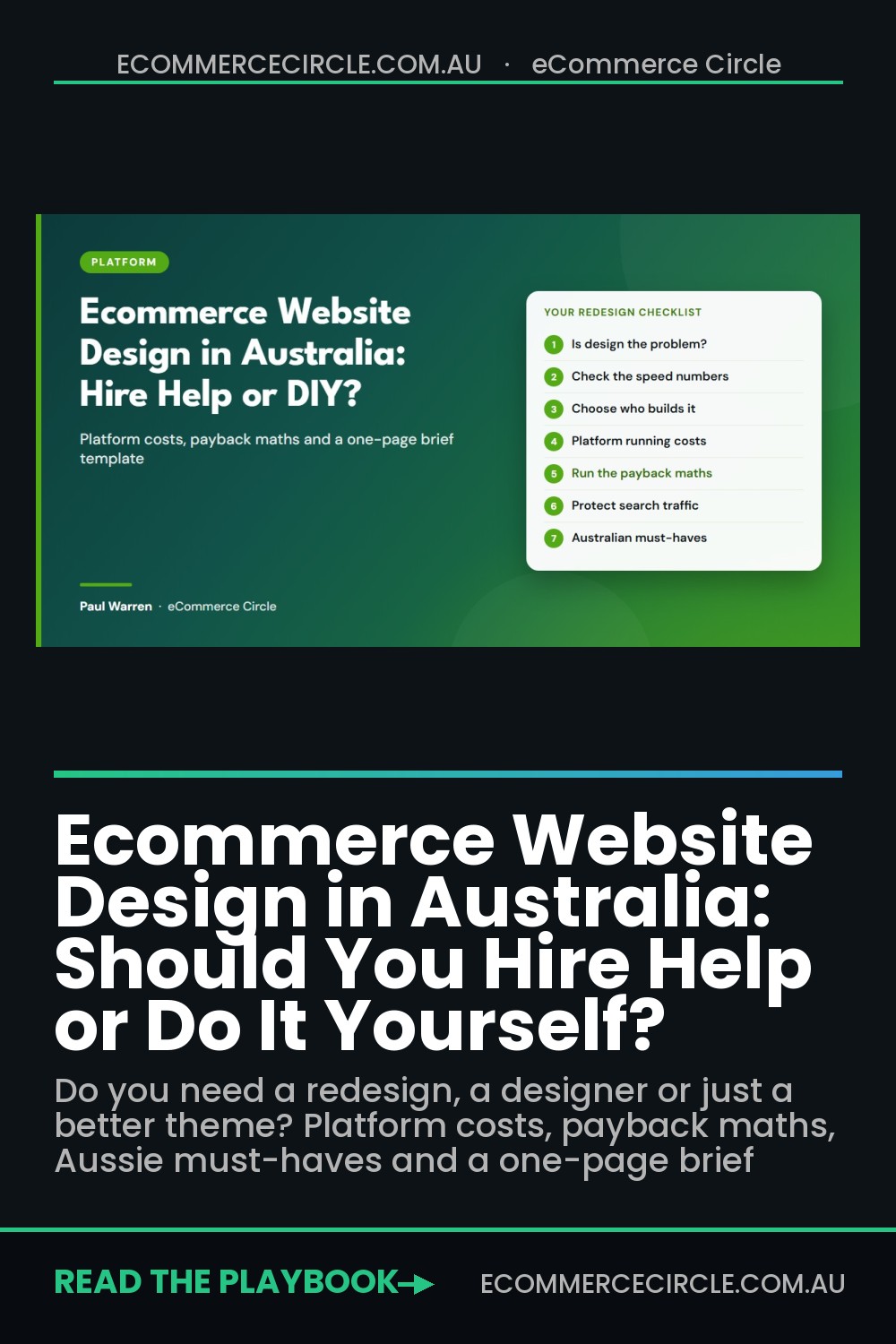
Your redesign decision checklist
- I’ve checked shipping costs, delivery times and returns before blaming the design.
- I know my conversion rate and how it compares with a sensible benchmark.
- I’ve checked Core Web Vitals for my product and collection templates on mobile.
- I’ve chosen a route (DIY, freelancer or agency) based on the job, not the pitch.
- I know what my platform costs to run, including transaction fees and sales caps.
- I’ve run the payback maths, including a rough-launch scenario.
- I’ve priced a smaller, targeted fix as an alternative.
- If URLs change, there’s a written 301 redirect map I’ll sign off.
- WCAG 2.2 AA is in the brief.
- The contract assigns all design files and code to my business, with a 30-day exit.
For page-by-page layout ideas once you’ve decided, our homepage design layout guide is a good starting point.
Frequently asked questions
Do I need a full redesign or just a better theme?
If your products, brand and platform haven’t changed, a quality theme set up properly, plus targeted fixes to product and collection pages, is usually enough. A full redesign makes more sense when you’re replatforming, the theme is too customised to maintain, or the site no longer explains what you sell.
How do I know if design is what’s hurting my conversion rate?
Rule out the bigger causes first. In Baymard’s research, extra costs and slow delivery are the top two reasons shoppers abandon carts, and neither is a design problem. Then check Core Web Vitals and your mobile versus desktop conversion rates. If mobile pages are slow or broken, design and build quality are likely part of it.
Should I use a freelancer or an agency for my ecommerce website?
A freelancer suits a defined job like a theme setup or a few custom sections. An agency suits complex work like replatforming, integrations or a full brand refresh. Either way, insist on a written scope, milestone payments, IP assignment and a fair exit clause.
Will a redesign hurt my Google rankings?
It can if URLs change and redirects are missed. Google says to map old URLs to new ones, use permanent redirects, and expect temporary ranking fluctuation during a move. If your URLs don’t change, the risk is much lower.
Does my online store need to meet accessibility standards in Australia?
The Australian Human Rights Commission’s guidelines say organisations should conform with WCAG 2.2 at a minimum of Level AA. The guidelines aren’t legally binding themselves, but they’re the standard to build to, and it’s far cheaper to design it in than to fix it later.
Who owns my website design when I pay a designer?
In Australia, IP created by a contractor belongs to the contractor unless the contract says otherwise. Make sure your contract assigns all design files, custom code and content to your business.
Talk it through before you commit
If you’d like to talk it through before you sign, book a 30-minute Zoom call with Paul.