You have heard that SEO matters. You have probably even installed an SEO app on your Shopify store. But when was the last time you actually looked under the hood? Most Shopify stores have a dozen technical SEO issues silently killing their search rankings – and the owners have no idea because everything looks fine on the surface.
What’s in This Article
A proper technical SEO audit is not about stuffing keywords into meta descriptions. It is about fixing the structural issues that stop Google from crawling, indexing, and ranking your pages. Stores that fix these issues typically see a 20-40% increase in organic traffic within 90 days – without writing a single new piece of content.
Crawlability: Can Google Actually Find Your Pages?
The first thing to check is whether Google can access and crawl all the pages you want ranked. Sounds basic, but Shopify creates a surprising number of crawl traps.
Check your robots.txt. Go to yourdomain.com/robots.txt and review what is blocked. Shopify’s default robots.txt blocks some important paths. Make sure your collection pages, product pages, and blog posts are not accidentally excluded. You can customise the robots.txt via the Shopify admin under Settings then Custom data.
Review your sitemap. Your sitemap lives at yourdomain.com/sitemap.xml. Check that all your important pages are listed. Shopify auto-generates sitemaps, but if you have recently deleted products or restructured collections, there might be stale URLs or missing pages. Submit your sitemap in Google Search Console if you have not already.
Fix crawl errors in Search Console. Log into Google Search Console, go to Pages, and review any “Not indexed” or “Crawled but not indexed” URLs. These are pages Google found but decided not to include in search results. Common causes: thin content, duplicate pages, or redirect chains. Fix the underlying issue for each one.
Duplicate Content: Shopify’s Biggest SEO Problem
Shopify has a well-known duplicate content issue that most store owners never address. Every product page has multiple URLs:
- yourdomain.com/products/product-name (the canonical URL)
- yourdomain.com/collections/collection-name/products/product-name (the collection-based URL)
Both URLs serve the same content, but Shopify adds canonical tags pointing to the /products/ version. Verify these canonical tags are working correctly by viewing the page source on any product page and searching for rel=”canonical”. If the canonical points to the wrong URL, Google might index the duplicate instead of your preferred version.
Pagination is another duplicate content source. Collection pages with multiple pages (page 1, page 2, page 3) can dilute your SEO authority. Ensure your paginated pages either have proper canonical tags pointing to page 1 or use rel=”next” and rel=”prev” tags to signal the relationship to Google.
Page Speed: The Ranking Factor You Can Measure
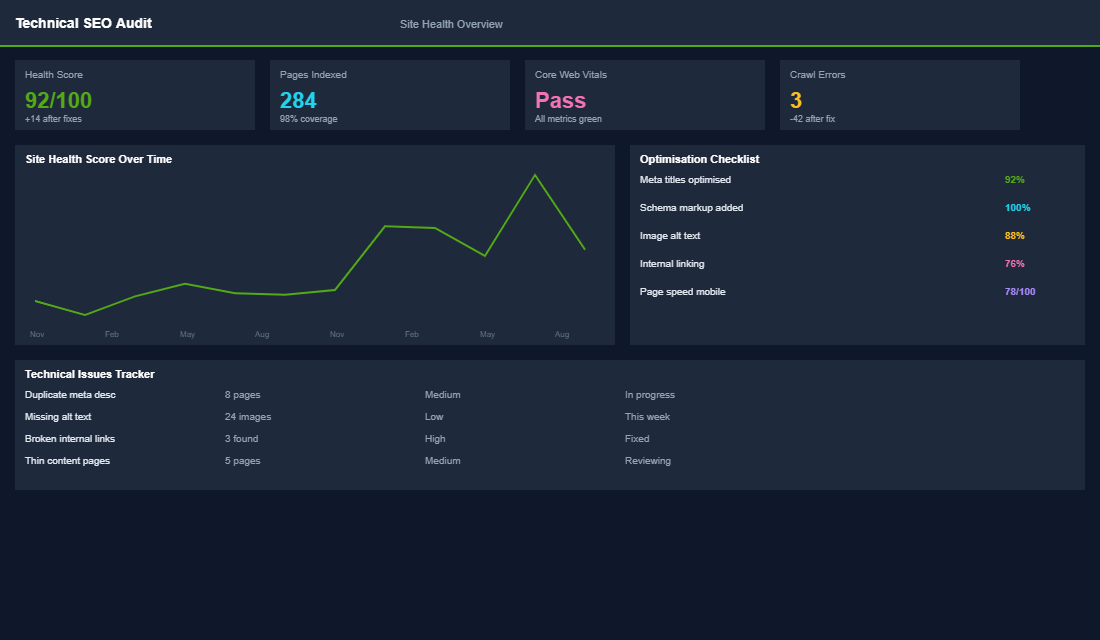
Google has been clear: page speed is a ranking factor. Slow stores lose rankings and conversions. For every second your page takes to load, you lose roughly 7% of conversions. Most Shopify stores load in 3-5 seconds on mobile – which means they are leaving 15-30% of potential conversions on the table.
Run your store through Google PageSpeed Insights (pagespeed.web.dev) and focus on these Core Web Vitals:
- Largest Contentful Paint (LCP). Should be under 2.5 seconds. If your hero image or product image takes too long to load, compress it to WebP format and ensure it is served at the correct dimensions – not a 4000px image scaled down to 600px in the browser.
- Cumulative Layout Shift (CLS). Should be under 0.1. If elements jump around as the page loads (images popping in, banners appearing), set explicit width and height attributes on all images and reserve space for dynamic content like reviews widgets.
- Interaction to Next Paint (INP). Should be under 200ms. If the page feels sluggish when clicking buttons or opening menus, you likely have too much JavaScript blocking the main thread. Audit your installed apps – every app adds JavaScript, and most stores have 5-10 apps they no longer use still loading scripts.
The single biggest speed fix for most Shopify stores is removing unused apps. Uninstalling an app from Shopify does not always remove its code from your theme. Check your theme code for leftover script tags from apps you have removed.
Structured Data: Helping Google Understand Your Products
Structured data (schema markup) tells Google exactly what your page content is – product names, prices, availability, reviews. When implemented correctly, your search results can show rich snippets: star ratings, price ranges, and availability status directly in Google results.
Shopify themes include basic product schema, but it is often incomplete or outdated. Use Google’s Rich Results Test (search.google.com/test/rich-results) to check any product page. Common issues include missing review schema, incorrect price formatting, or missing availability status.
For collection pages, add CollectionPage schema. For blog posts, add Article schema with proper author markup. These are not default in most Shopify themes but can be added via a Shopify SEO app like JSON-LD for SEO or by editing your theme code directly.
Internal Linking: Your Free SEO Power Tool
Internal linking is the most underused SEO tactic in ecommerce. Every link from one page to another on your site passes authority and helps Google understand your site structure. Most Shopify stores have terrible internal linking – products link to the homepage and collections, but that is about it.
Here is what to fix:
- Product to product links. In every product description, link to 2-3 related products. “Pairs perfectly with our [Product Name]” is a natural way to add internal links that also drive cross-sells.
- Blog to product links. Every blog post should link to at least 2-3 relevant products. If you write about skincare routines, link to the specific products in your routine. These links drive both SEO authority and direct sales.
- Collection descriptions. Most stores leave collection descriptions blank or write a single sentence. Add 200-400 words of unique content to your main collection pages, including links to subcollections and featured products. This gives Google more content to index and more internal links to follow.
- Breadcrumb navigation. Enable breadcrumbs if your theme supports them. Breadcrumbs create a clear hierarchy that helps Google understand your site structure and can appear as rich snippets in search results.
The Compound Effect of Technical SEO
Most Shopify owners chase the shiny SEO tactics – keyword research, backlinks, content strategy. But if your technical foundation has cracks, everything built on top of it underperforms. Fixing crawl issues, duplicate content, page speed, schema, and internal links creates a compounding improvement.
One eCommerce Circle member ran this exact audit checklist and fixed 14 issues across their store. Within 90 days, organic traffic increased by 34% and they went from page 3 to page 1 for their three highest-value product keywords – all without building a single backlink or publishing new content.
The beauty of technical SEO is that once fixed, it stays fixed. You are not paying for traffic every day like ads. You are building a structural advantage that compounds over months and years.
Your Technical SEO Action Plan
Block out two hours this week and run through each section above. Start with crawlability (Search Console), then check duplicate content (canonical tags), then speed (PageSpeed Insights), then schema (Rich Results Test), then internal links (manual review). Fix the quick wins immediately and schedule the bigger fixes for the following week.
Inside the eCommerce Circle, technical SEO audits are part of our platform optimisation framework. We walk members through this checklist and help prioritise fixes based on impact – because not every SEO issue is worth the same effort, and knowing where to focus saves weeks of wasted work.
If your organic traffic has plateaued despite publishing content and building links, the problem is almost certainly technical. Fix the foundation, and everything else starts working harder.
The Technical SEO Benchmarks to Audit Against
A checklist without targets is just a list of things to worry about. These are the thresholds to measure your store against, so you know what is genuinely broken versus merely imperfect.
- Indexation ratio. Divide indexed pages in Google Search Console by the URLs in your sitemap. You want 85% or better. If only 40% of your product pages are indexed, no amount of on-page work will help, because Google is not looking at them.
- Largest Contentful Paint. Under 2.5 seconds on mobile. Most Shopify stores land between 3.5 and 5 seconds, and every second past 2.5 costs roughly 7% of conversions.
- Cumulative Layout Shift. Under 0.1. The usual culprits are images without width and height attributes and late-loading announcement bars.
- Crawl budget waste. In Search Console, check what share of crawl requests hit filtered collection URLs with query strings. Above 30% and Google is spending its time on pages you do not want ranked instead of the ones you do.
- Product schema coverage. 100% of product pages should emit valid Product schema with price, availability and review data. Anything less and you are giving up rich results your competitors are taking.
- Orphan pages. Pages with zero internal links pointing at them. Target zero. Most stores discover 20-60 orphaned products sitting invisible to both crawlers and customers.
Score yourself on all six before you touch anything. The worst-performing metric is where you start, and it is almost never the one you assumed. If speed is your weak point, our site speed guide walks through the fixes in order of impact.
The Audit Toolkit: What to Run and How Often
You do not need an agency retainer to run a competent technical audit. You need four tools and a recurring calendar entry.
- Screaming Frog, quarterly. Free up to 500 URLs, around $259 AUD a year beyond that. Crawl your whole store and it will hand you every broken link, redirect chain, missing title, duplicate meta description and orphan page in one export. This is the single highest-value hour in technical SEO.
- Google Search Console, weekly. Free, and the only tool that shows you what Google actually thinks. Watch the Pages report for coverage errors and the Core Web Vitals report for field data, which is what actually counts for rankings rather than lab scores.
- PageSpeed Insights, monthly. Run your homepage, a collection page and a product page. Test on mobile only, because that is what Google indexes with.
- Ahrefs or Semrush Site Audit, monthly. Around $150-200 AUD a month. Automated re-crawls that alert you when something breaks, which matters because most technical SEO damage arrives via a theme update nobody thought to test.
- Rich Results Test, on every template change. Free, thirty seconds, and it catches schema you broke without noticing.
Put the quarterly crawl in your calendar as a recurring event with a two-hour block attached. The stores that stay technically healthy are not the ones with the best tools, they are the ones that actually run the check on a schedule instead of when traffic drops.
The 30-Day Technical SEO Sprint
If you have never run a technical audit, doing all of it at once is how it never gets done. Here is the four-week sequence, ordered so the highest-impact work lands first.
- Week 1: measure and triage. Run the full Screaming Frog crawl, pull your Search Console coverage report, and score the six benchmarks above. Do not fix anything yet. Build the list, then rank it by traffic at risk rather than by how easy each item is.
- Week 2: fix indexation and duplication. Canonical tags on filtered collection URLs, robots directives on internal search and cart pages, and a clean sitemap submitted to Search Console. This is the work that unlocks everything downstream, because ranking improvements on unindexed pages are worth nothing.
- Week 3: speed and Core Web Vitals. Compress and lazy-load images, remove the apps your quarterly audit showed you are not using, and set explicit dimensions on every image to kill layout shift. Most stores find 1-1.5 seconds here without touching the theme code.
- Week 4: schema and internal links. Validate Product, Article and Organization schema, then fix the orphan pages by linking them from relevant collections and content. Internal linking is the cheapest ranking lever you own and the one most stores ignore entirely.
Re-measure the six benchmarks at day 30. Technical SEO does not produce an overnight spike, and anyone promising one is selling something. What it produces is a foundation where your content and link work finally compounds instead of leaking. Once the foundation is clean, the next lever is the content sitting on top of it, which is where our product page SEO guide and content marketing framework take over. If your collection pages are the weak link, start with collection page optimisation instead.
If your organic traffic has flatlined and you want a second opinion on where the technical bottleneck is, let’s talk.