For most Australian product brands, Shopify is the better pick: it costs about the same in card fees as WooCommerce, and it takes hosting, security and checkout off your plate. WooCommerce wins in a small number of cases, mainly when your business already lives on WordPress or you need custom logic that Shopify makes awkward.
Most founders get this decision wrong because they compare sticker prices. WooCommerce is “free”, Shopify is $42 a month, so WooCommerce looks cheaper. Then the hosting bill arrives, a plugin update breaks the cart on a Saturday, and the free platform is eating four hours a week.
The brands that choose well compare three things instead: the full monthly cost, the hours the platform takes from the founder, and how well the checkout converts. This guide works through all three with real Australian numbers, including a worked example for a store doing $30,000 a month.
Shopify vs WooCommerce in Australia: The Quick Answer
Here is the short version before we get into the detail.
| Shopify | WooCommerce | |
|---|---|---|
| What it is | Hosted platform, monthly subscription | Free plugin that runs on your own WordPress site |
| Plan cost (AUD) | Basic $42, Grow $114, Advanced $431 a month on yearly billing | $0 for the core plugin |
| Hosting and security | Included | You buy and manage it |
| Standard online card rate | 1.7% + 30c on Basic with Shopify Payments | 1.7% + 30c with Stripe Australia |
| Fee for using another gateway | 2% on Basic, 1% on Grow, 0.6% on Advanced | None |
| Who fixes it when it breaks | Shopify | You or your developer |
| Best for | Product brands that want to spend time on marketing | WordPress-first businesses and custom builds |
Plan prices and card rates are from Shopify’s Australian pricing page, checked 12 November 2026. The Stripe rate is from Wise’s 2026 guide to Stripe fees in Australia.
Look at the card rate row. On the standard setup, both platforms cost you the same 1.7% plus 30 cents on a domestic card. Card fees are not the deciding factor. Everything else in the table is.
How Many Australian Stores Use Each Platform?
You will see wildly different market share numbers, and both sides quote the one that suits them. Here is why they disagree.
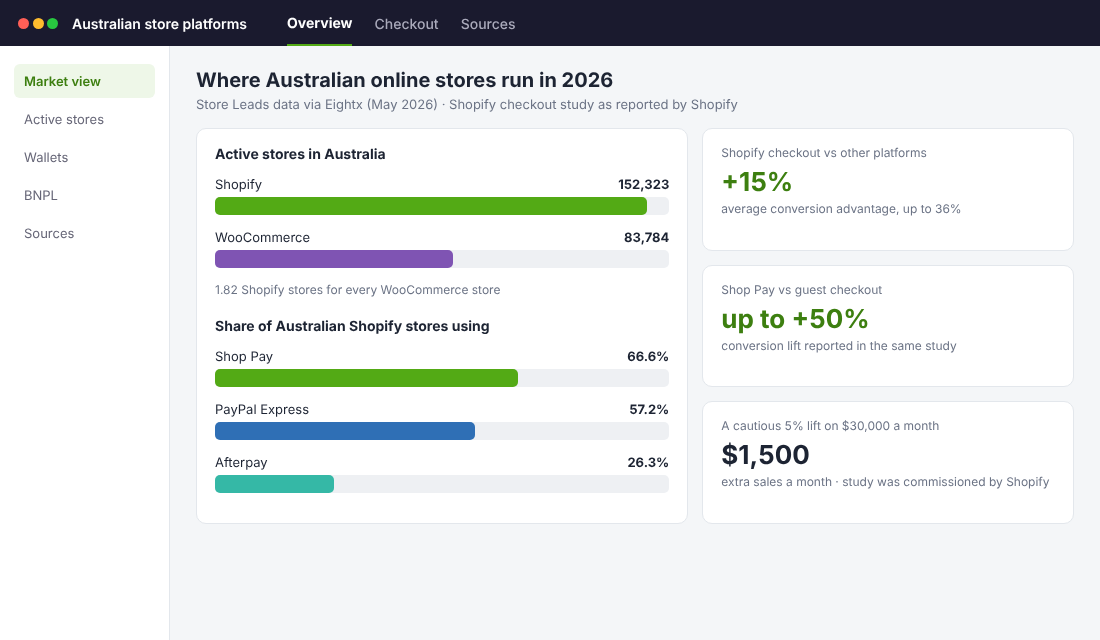
Store Leads counted 152,323 active Australian Shopify stores in May 2026 against 83,784 live WooCommerce stores, according to Eightx’s Australian Shopify landscape report. That is 1.82 Shopify stores for every WooCommerce store.
Technology trackers that scan every website tell a different story. WMtips lists WooCommerce on 46.6% of Australian sites where it detects an ecommerce platform, with Shopify on 25.4%.
Both can be true. WooCommerce is a free plugin, so it sits on plenty of WordPress sites that sell a handful of items or nothing at all. Store Leads counts stores that are actively trading. If you care about where working Australian online stores are run, the active-store count is the better guide.
The practical point for you is the support market. With around 152,000 Shopify stores in the country, there are plenty of apps, themes, agencies and freelancers competing for your work. The same Eightx report found Shop Pay on 66.6% of Australian Shopify stores and Afterpay on 26.3%, the highest buy now pay later share of any Shopify country market.
It is also where the big local names sit. The Oodie, Hismile, JB Hi-Fi, Tony Bianco and Sukin all appear in the report’s list of Australian brands on Shopify Plus.
What Does Each Platform Really Cost? A Worked Example
This is the section most comparison articles skip, so let’s do the maths properly.
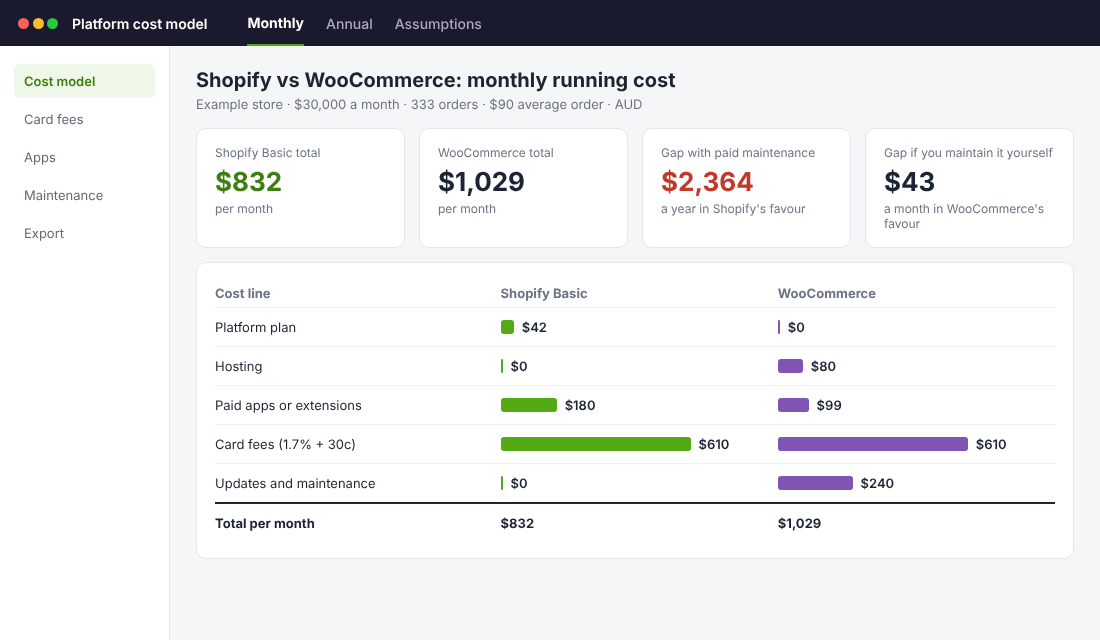
Take an Australian store selling $30,000 a month across 333 orders at a $90 average order value. All orders are paid on standard domestic cards.
Card fees are identical. 1.7% of $30,000 is $510, plus 333 orders at 30 cents is $100. That is about $610 a month on Shopify Payments, and about $610 a month on Stripe through WooCommerce.
So the gap comes from everything around the card fee.
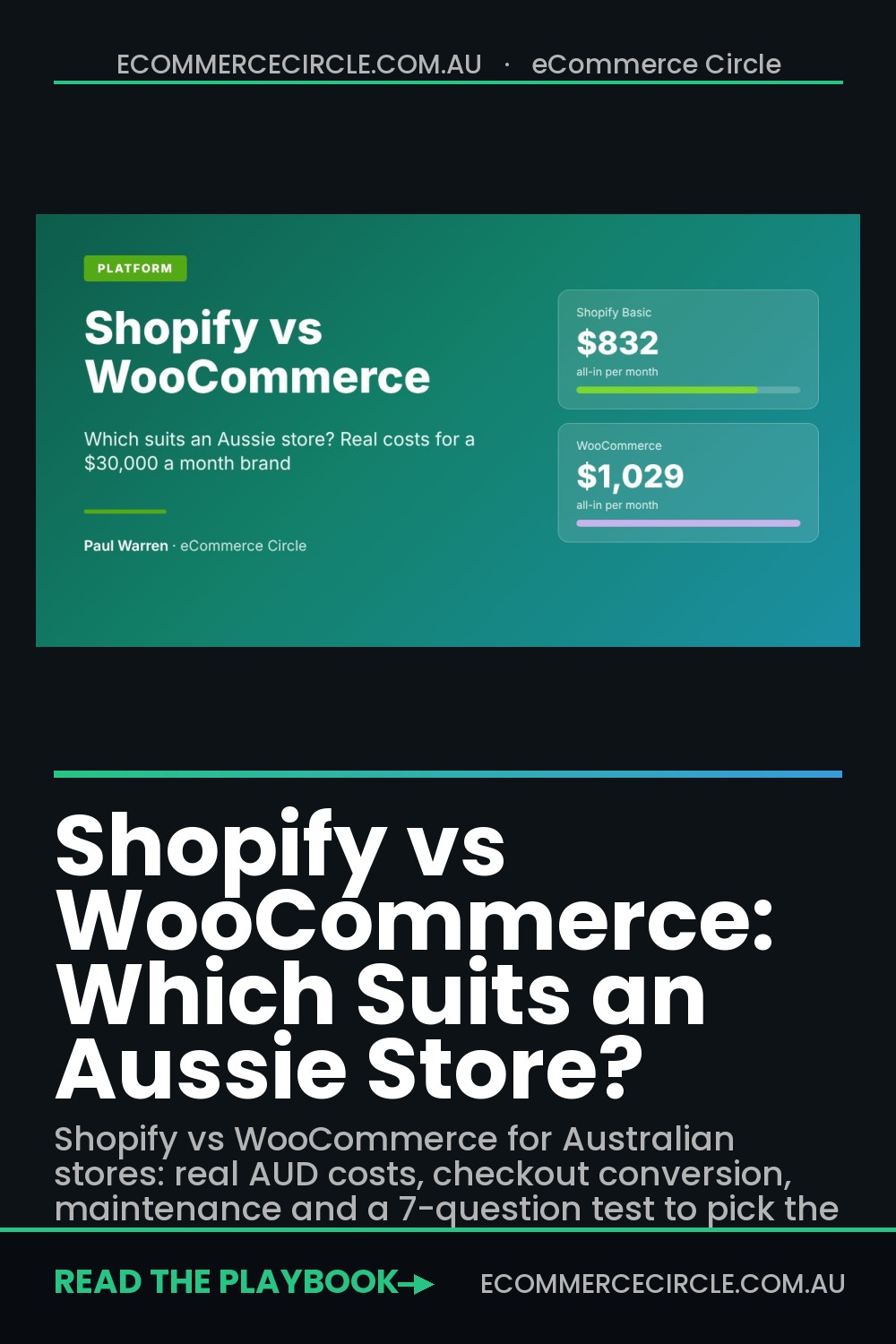
| Monthly cost (AUD) | Shopify Basic | WooCommerce |
|---|---|---|
| Platform plan | $42 | $0 |
| Hosting | Included | $80 |
| Paid apps or extensions | $180 | $99 |
| Card fees | $610 | $610 |
| Updates and maintenance | $0 | $240 |
| Total | $832 | $1,029 |
Now the assumptions, because a table like this is only as honest as its inputs.
- Hosting at $80. WooCommerce’s own pricing page estimates hosting at $25 to $350 a month for most stores. I have used a figure near the lower end. The page does not quote AUD, so treat it as a guide.
- Extensions at $99. The same page puts paid extensions at $29 to $299 each per year. Eight extensions at $149 a year is $1,192, or $99 a month.
- Shopify apps at $180. Six paid apps at $30 a month. Plenty of stores run more, which is why I recommend running an app stack audit twice a year.
- Maintenance at $240. Two hours a month of developer time at $120 an hour for updates, backups and fixing plugin conflicts. This is my assumption. Swap in your own quote.
On those numbers WooCommerce costs $197 a month more, or $2,364 a year.
Here is the honest twist. Remove the maintenance line and WooCommerce comes out at $789 a month, which is $43 cheaper than Shopify. WooCommerce is only cheaper if your time is free. If you are doing the updates yourself at 10pm, you are paying for them in hours you could have spent on email, ads or product.
One more cost to know about. If you run Shopify with a gateway other than Shopify Payments, Shopify adds a third-party fee of 2% on Basic. On $30,000 that is $600 a month. WooCommerce charges nothing for your choice of gateway. If you are on Shopify, use Shopify Payments, and read our breakdown of Shopify Payments fees in Australia before you choose a plan.
Action for this week: build the same five-line table for your own store. Plan, hosting, apps, card fees, and the hours you or a developer spend keeping the site alive. Price your own hours at what it would cost to hire them out.
Which Checkout Converts Better?
Cost is one side of the ledger. Revenue is the other, and this is where Shopify pulls ahead.
Shopify commissioned one of the “Big Three” management consulting firms to compare checkouts across the major platforms. Shopify reports that its overall conversion rate beat competitors by up to 36% and by 15% on average. The same study found Shop Pay can lift conversion by as much as 50% compared with guest checkout.
Treat those figures with care. Shopify paid for the study, does not name the firm and has not published the full method. I would not bank a 15% lift in your forecast.
But run a conservative version. If Shopify’s checkout converts just 5% better on your $30,000 store, that is $1,500 a month in extra sales. That one line is worth more than the entire cost gap in the table above, in either direction.
Why would it convert better? Three reasons I see in real stores.
- Saved details. With Shop Pay on two thirds of Australian Shopify stores, a large share of your shoppers already have their card and address stored. They pay in a couple of taps.
- One checkout, tested at scale. Every Shopify store runs the same checkout, so Shopify can test it across millions of orders. A WooCommerce checkout is assembled from your theme, your gateway plugin and whatever else is installed.
- Fewer things to break. A WooCommerce checkout touches several plugins. Any one of them can add a slow script or a conflict after an update.
WooCommerce can get close. You can add express payment buttons through Stripe, tidy the form fields and buy a dedicated checkout plugin. It just takes deliberate work that Shopify gives you by default.
Action for this week: place a test order on your own store on your phone, on mobile data. Count the taps and time it. If it takes more than 60 seconds, your checkout is costing you orders regardless of platform.
Who Does the Maintenance and Security?
This is the part founders underestimate most, and it is where the two platforms are least alike.
On Shopify, hosting, SSL, platform updates and payment compliance are handled for you. You do not patch anything. When traffic spikes on Black Friday, capacity is Shopify’s problem.
On WooCommerce, you are the IT department. You choose the host, apply WordPress and plugin updates, run backups and deal with whatever breaks.
That matters because plugins are where WordPress sites get hurt. Patchstack’s State of WordPress Security in 2026 report counted more than 11,300 new vulnerabilities across the WordPress ecosystem in 2025, with plugins responsible for roughly 96% to 97% of them, as summarised by Web60. The same summary puts the median time to first exploitation of a disclosed flaw at about five hours.
That does not mean WooCommerce is unsafe. It means it is only as safe as the person maintaining it. A well-hosted store with a small plugin list, automatic updates and daily backups is fine. A store with 40 plugins that nobody has logged in to update since March is a risk to your customers’ data and your revenue.
If you stay on WooCommerce, here is the minimum routine.
- Weekly: apply plugin and WordPress updates on a staging copy first, then on the live site.
- Daily: automated off-site backups, with a restore tested at least once a quarter.
- Monthly: delete plugins you no longer use. Every plugin is another door.
- Always: two-factor login for every admin account.
If nobody in your business owns that list, you have your answer on which platform suits you.
What Happened When Two Brisbane Retailers Switched
Numbers from real stores are more useful than theory, so here are two Australian migrations, both published by the agency that ran them, Swanky.
Salon Supplies and Furniture is a family-owned Brisbane business founded in 2006. Its WooCommerce site was slow and crashed often. After a four-week move to Shopify, the case study reports that in the five weeks after launch, compared with the same period a year earlier, conversion rate rose 48%, transactions grew 293% and total revenue doubled. Mobile Core Web Vitals improved by 33%.
Valhalla Tactical sells military, first responder and outdoor gear, with stores in Brisbane, Townsville, Darwin and Canberra. The team was fed up with downtime on WooCommerce. In the month after migrating, against the same month the year before, the case study reports sessions up 45%, conversion rate up 95% and purchase revenue up 362%.
A caution on reading these. They are agency case studies, each migration came with a redesign, and year-on-year comparisons pick up other changes too. You should not expect to double revenue by changing platform.
What both stories do show is the pattern I see with members. The trigger was never the monthly fee. It was reliability. A slow, crashing site was costing sales, and the owners were spending their attention on the website instead of the business. If that sounds like your store, start with our guide to fixing a slow store to see what good looks like.
When WooCommerce Is the Better Choice
I coach Shopify brands, so I will be clear about my bias. There are still cases where I would tell you to stay on or choose WooCommerce.
- Your business is content first. If most of your traffic comes from a large WordPress blog, and the store is an add-on to that content, keeping everything in one system is sensible.
- You need unusual product logic. Complex configurators, quote-based pricing or bookings mixed with products can be simpler to build when you own all the code.
- You have a developer on staff. If someone already maintains your WordPress site every week, the maintenance line in the cost table is already paid for.
- You need full control of the code and data. WooCommerce is open source and runs on your own hosting. Nothing about your store depends on one company’s roadmap or terms.
- You sell a few items from an existing WordPress site. A physio selling three products does not need a separate Shopify store.
And when Shopify is the better choice:
- You sell physical products and want to grow them with ads, email and SEO.
- You do not have, or do not want, a developer on call.
- You run sales events where traffic spikes hard.
- You want Shop Pay, Afterpay and a fast checkout without assembling it yourself.
Most of the brands I work with are in the second list. If you want a deeper look at Shopify on its own, including plan break-even points, read our Shopify review for Australian stores.
The 7-Question Platform Decision Test
Use this as your takeaway. Answer yes or no for your own business.
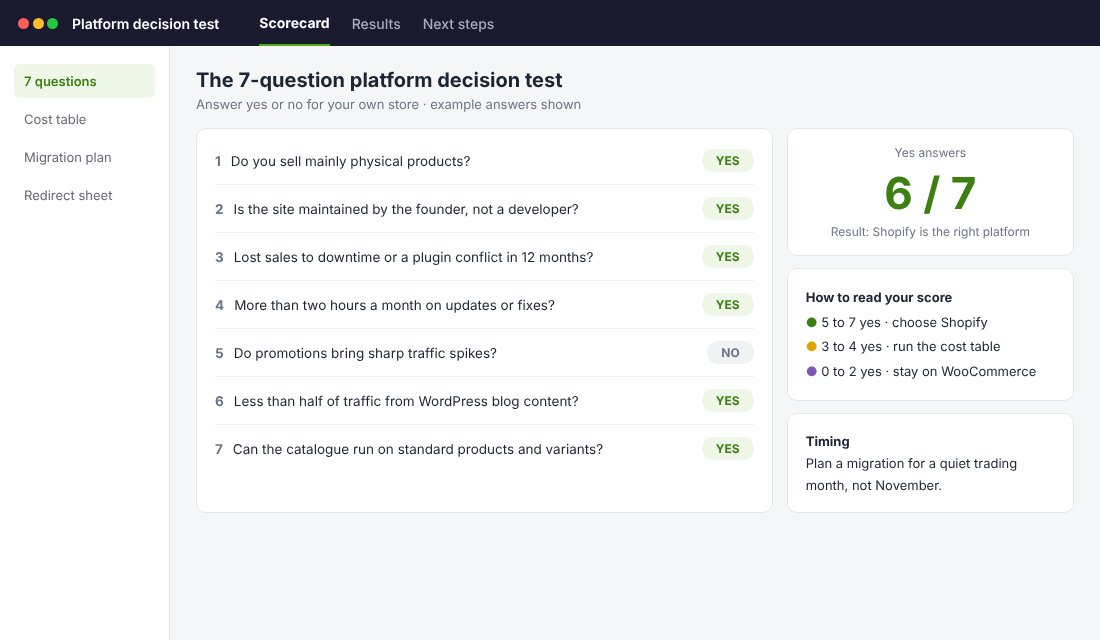
- 1. Do you sell mainly physical products?
- 2. Is the website maintained by you, the founder, and not by a developer?
- 3. Have you lost sales to downtime, a broken checkout or a plugin conflict in the past 12 months?
- 4. Do you spend more than two hours a month on updates, hosting or fixes?
- 5. Do you run promotions that bring sharp traffic spikes?
- 6. Does less than half of your traffic come from WordPress blog content?
- 7. Could your catalogue and pricing rules run on standard products, variants and discounts?
Five or more yes answers: Shopify is the right platform. If you are on WooCommerce now, plan the move for a quiet trading month, not November.
Three or four: it is a close call. Run the cost table from earlier with your real numbers and let the total decide.
Two or fewer: stay on WooCommerce, and put a proper maintenance routine in place.
How to Move From WooCommerce to Shopify Without Losing Rankings
If the test points you to Shopify, the risk is the move itself. Done carelessly, a migration can wipe out years of Google rankings. Done in order, it is a three to six week project.
The tool I suggest for the data is Matrixify, a Shopify app that imports products, customers, orders and redirects from spreadsheets. Here is the order of work.
- Step 1. Record what ranks today. In Google Search Console, export your top pages by clicks for the past 12 months. This is your list of URLs that must not break.
- Step 2. Export from WooCommerce. Export products, customers and orders. Clean the product file before importing it. A migration is the best chance you will get to delete dead SKUs.
- Step 3. Start a Shopify trial and choose a theme. Shopify currently offers 3 days free, then $1 a month for 3 months, which covers the whole build.
- Step 4. Import with Matrixify. Install the app, import products first, check 20 of them by hand, then import customers and orders.
- Step 5. Map every old URL to a new one. WooCommerce product URLs usually sit under /product/. Shopify uses /products/ and /collections/. Build a redirect sheet from your Search Console list and import it in Shopify’s URL redirects screen. Our Shopify redirect guide covers this step in detail.
- Step 6. Set up payments, shipping and tax. Turn on Shopify Payments, add your Afterpay or other gateways, rebuild shipping rates and check GST settings.
- Step 7. Place real test orders. One per payment method, on mobile, including a refund.
- Step 8. Switch the domain on a quiet weekday morning. Then resubmit your sitemap in Search Console and watch for 404 errors daily for two weeks.
One warning. Customer passwords do not transfer between platforms. Plan an email inviting customers to activate their new account, and tell your subscription or loyalty customers before the switch, not after.
Shopify vs WooCommerce FAQ
Is WooCommerce really free?
The core plugin is free. Running a store on it is not. You pay for hosting, usually some paid extensions, card fees, and the time or developer cost of maintenance. In the worked example above, a $30,000 a month store paid about $1,029 a month all up.
Which is cheaper in Australia, Shopify or WooCommerce?
Card fees are the same on the standard setup, at 1.7% plus 30 cents. WooCommerce is cheaper if you do all the maintenance yourself and value that time at zero. Once you pay for even two hours of maintenance a month, Shopify Basic is usually cheaper.
Is WooCommerce better for SEO?
WordPress gives you more control over URL structure and is a stronger blogging tool. Shopify uses fixed paths such as /products/ and /collections/. In practice both can rank well. Site speed, content quality and links matter far more than the platform.
Can I use Afterpay on both?
Yes. Afterpay offers integrations for both Shopify and WooCommerce.
Will I lose my Google rankings if I migrate?
Not if you redirect every old URL that gets traffic to its new equivalent before you switch the domain. Expect some movement for a few weeks. Skipping redirects is what causes lasting damage.
How long does a WooCommerce to Shopify migration take?
For a store with a few hundred products, allow three to six weeks including theme setup, data import, redirects and testing. The Salon Supplies and Furniture migration mentioned above was completed in four weeks.
How the Pieces Fit Together
Put the three comparisons side by side and the decision gets simple.
Card fees are a draw. The running cost depends almost entirely on who does the maintenance. And the checkout is where Shopify earns its fee, because a small conversion lift outweighs any saving on hosting.
That is why the platform question is really a time question. Every hour you spend patching plugins is an hour you did not spend on the things that grow a store: better offers, better creative, better emails and better retention. Your platform should be the quietest part of your business.
So pick the one that asks the least of you, run the 7-question test, and then get back to selling.
Inside eCommerce Circle, Platform is one of the 10 P’s we work through with every member, and it is rarely the platform itself that is capping orders. If you want to see exactly where your store is being held back, take the free More Orders Scorecard. It takes two minutes and shows you which of the 10 P’s to fix first. Or if you would like help working through the decision, start in Connect.